
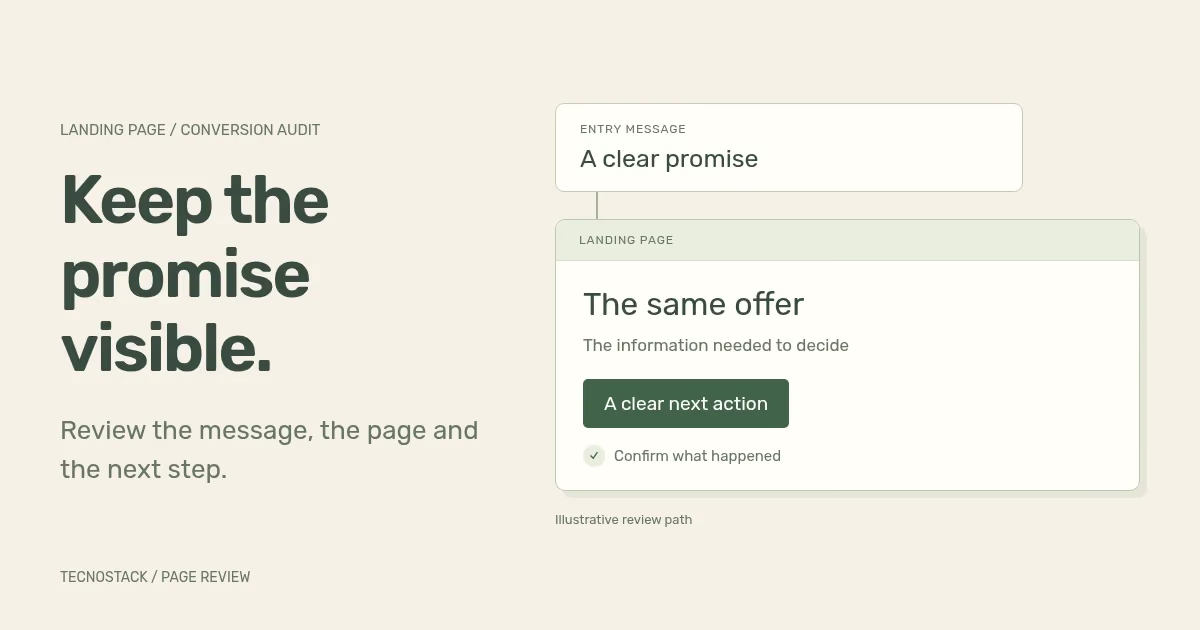
A landing page conversion audit checks whether the page helps the intended visitor complete a useful action. Start with the promise in the ad or referring link, follow the page on the devices and languages your customers use, and verify what happens after the action. Record evidence for each problem before deciding what to change.
The result should be a prioritised issue list with acceptance checks. “Make the button brighter” is a design suggestion. “The form rejects a valid input format and gives no recovery instruction” is a finding you can reproduce. Both might lead to work, but they need different evidence and different ways to judge the result.
Write one task at the top of the review: who arrived, what they expected and what a successful next step means. A visitor comparing service scope needs different information from someone ready to repeat an order. Do not combine both audiences into an average persona that explains neither decision.
Record the actual entry URL, referring campaign or link, language and relevant offer. Include the final destination after any redirect. A well-written Arabic ad that opens an unrelated English overview creates a specific continuity question; it does not automatically prove every visitor will leave or justify rebuilding the whole site.
Google describes landing-page experience in terms of relevance, usefulness, navigation and expectations from the ad. Its Quality Score guidance treats the score as a diagnostic aid. Use it to help choose where to investigate, alongside the actual page and business outcome. It is not a substitute for observing the task.
Use this original worksheet to connect the entry message to the destination. Save the exact version and date you inspected. If the campaign, page and receiving team describe different offers, agree the correct scope before polishing any of the copy.
| Checkpoint | Question to answer | Evidence to retain |
|---|---|---|
| Audience and intent | Who is this page for, and what decision are they making? | Campaign brief, relevant query or referring message |
| Entry promise | What service, product or next step was offered? | The actual ad or link wording and destination |
| Page introduction | Can the visitor recognise that offer in this language? | Heading, introduction and any qualifications |
| Decision information | What must someone know before acting? | Scope, exclusions, delivery information and genuine supporting evidence |
| Call to action | What happens when the visitor selects it? | Button wording and the real form, checkout or contact destination |
| Completion | What confirms the action, and who receives it? | Success/error state, receiving record and measurement definition |
Check the entire route, including an external booking tool or payment page where relevant. A page can communicate clearly while sending the visitor to a destination with different language, missing context or an unexpected account requirement. State which parts your team controls and which require another provider's support.
Keep proof honest. A demo interface can explain a concept, but it should not appear as a client result. A testimonial needs a real source and appropriate permission. If the offer requires a quote, explain what determines the scope instead of inserting a low starting price that the team cannot honour.
Work through the form with realistic synthetic inputs. Review visible labels, required fields, format instructions, keyboard order and the message shown after submission. Ask why each field is needed at this stage. Removing a field can reduce effort, but the receiving team may need it to route or assess the request; agree that trade-off with them.
The W3C's labels and instructions guidance explains how people should know what information to enter. Its form notification tutorial covers clear feedback for success and errors. Test those states, including the case where the receiving service is unavailable. A generic error that clears the customer's work deserves a different fix from a field that needs a clearer example.
For a Saudi enquiry form, include the phone formats the business actually supports and explain the expected input. If the form supports international numbers, test that promise. Inspect mixed Arabic and Latin text, email addresses and validation messages in both versions. The Arabic RTL checklist provides additional cases for direction, focus and realistic content.
Review controls on touch screens as well as with a keyboard. W3C's minimum target-size criterion includes size and spacing requirements with specific exceptions. Use the full criterion when assessing conformance; a single button measurement does not establish that the whole page is accessible.
Open the real page on representative devices and a constrained connection, then complete the task. Look for a sticky banner covering the submit control, a keyboard obscuring the error message or a layout shift moving the next action while the visitor tries to select it. Record the conditions so the observation can be reproduced.
Separate laboratory measurements from available field data. A local test helps diagnose a particular load or interaction; it does not describe every customer's experience. Note whether the page was loaded fresh or from cache and whether third-party widgets were active. A fast empty preview can miss the booking, consent or chat scripts used in production.
Test enlarged text and keyboard focus alongside speed. Do not solve overflow by clipping a label or hiding an error. When the concern is broader task comprehension, use a small usability review with representative people and neutral tasks. Their observations can explain a problem that a performance score cannot.
Consider this hypothetical example, created for the worksheet. A facilities company advertises an office-maintenance assessment in Arabic. The link opens a general English service page. Its form rejects a supported international phone format, and a WhatsApp-button click is reported as a completed enquiry even when no message is sent. These are invented conditions, not a client case or measured results.
The team first verifies the input rejection and fixes its validation and recovery message. It then agrees the correct Arabic destination and makes the ad promise recognisable there. The measurement owner separates contact intent from a received enquiry. A proposed change to the hero photograph remains a hypothesis, with a reason and a way to evaluate it.
Use this issue record to turn each observation into reviewable work. A screenshot alone rarely tells the implementer what success means.
| Field | Example entry for the hypothetical form issue |
|---|---|
| Intended task | Request an office-maintenance assessment |
| Reproduction | Arabic page, mobile browser, supported international phone format |
| Observed behaviour | Submission stops with an unclear format error |
| Business effect to investigate | A valid request cannot complete in this tested case |
| Evidence | Redacted screen recording, validation response and supported-format rule |
| Proposed change | Accept the supported format and explain any remaining input requirement |
| Acceptance check | Valid cases reach the receiving system; invalid cases retain input and explain recovery |
| Owner and scope | Named form maintainer; confirm whether the fix is already included in the current plan |
Prioritise a reproducible blocker, an incorrect promise or broken measurement according to its verified impact and reach. For ideas with weaker evidence, record the uncertainty. A numerical priority formula can organise a backlog, but guessed impact values do not turn an opinion into a measured benefit.
First rerun the acceptance case. Confirm the form accepts the intended input, the message matches the offer and the receiving team can locate the test record. Then verify the measurement using the GA4 tracking audit. Keep a release note with the changed page version and the date the new behaviour began.
Business evaluation comes next. Compare appropriately defined outcomes and note changes in traffic source, audience, offer and season. A higher conversion rate after a release is an observation; it does not isolate the page change as the cause. Agree whether the next question needs a controlled experiment, further research or continued monitoring. The low-traffic A/B testing guide provides a worksheet for checking experiment feasibility.
TecnoStack's analytics and conversion optimisation service can scope the review and named implementation work. Existing website, SEO and marketing plans retain their published page allowances, conversion reviews and testing inclusions. Bring the entry message, destination and one action your visitors should complete, then use the findings to decide the next change.


