This guide is for teams running or upgrading an application on Next.js 15. It is not advice about the newest Next.js release: if you're starting a new project, begin with a currently supported version and its own documentation. If you maintain a Next.js 15 codebase, three areas deserve particular review: request APIs that became asynchronous, caching defaults that changed, and the boundary between cached content and per-user data. Get those right, keep the framework patched, and confirm the result with real-user data.
The Next.js 15 release notes describe changes relative to version 14, and that is how this guide uses them: as a map for finishing a migration and running this version safely. Two practical rules follow.
First, don't pin an old patch release. Framework vulnerabilities are fixed in newer releases, so follow the project's security advisories, apply security updates promptly, and check which release lines currently receive fixes.
Second, plan your next upgrade while you maintain this one. Everything below, from explicit caching to authorization near the data, also makes later upgrades easier, because your application's behavior stops depending on defaults that may change again.
In Next.js 15, the APIs that read request-specific data became asynchronous: cookies(), headers() and draftMode(), plus params in relevant route entry points, including pages, layouts, route handlers and metadata functions. The asynchronous searchParams prop applies to pages; layouts do not receive it, and route handlers read query values from the request URL. The release notes present this as a transition and provide a codemod that updates most call sites.
Treat the codemod as the start, not the finish:
- Search for wrappers. Helper functions that read cookies or headers for authentication, locale or feature flags are easy to miss. Keep server helpers async and resolve their promises before using the returned values. Review client consumers separately instead of making Client Components async.
- Check locale handling. In a bilingual site, the locale usually arrives through
params. Awaiting it consistently matters in every page and metadata function that chooses Arabic or English content. - Treat remaining synchronous access as unfinished migration work, not as working code, and resolve the related warnings instead of silencing them.
- Type-check after the codemod. TypeScript will flag many places where a promise is used as if it were a value.
Next.js 15 changed several caching defaults. The release notes state that GET Route Handlers are no longer cached by default, and they describe related changes to how fetch requests and client-side navigations are cached. An endpoint that was served from a cache under version 14 may now run on every request.
This does not mean every cache is disabled. Special metadata routes can remain static; shared layouts and back/forward navigation retain client-cache behavior. Static rendering, explicit data caches and an external CDN are separate layers to inspect. Make each cache decision deliberate:
- Inventory route handlers, data-fetching functions and pages, and note which ones relied on the old caching behavior.
- Decide per resource whether its content is public, how stale it may be, and which event should refresh it, such as a CMS publish or a price change.
- Opt in explicitly where caching is right, using the route and fetch options documented for your exact version, and connect revalidation to the events that change the data.
- Measure the origin. After deploying, watch request volume and response times on your origin and data sources, so a missing cache shows up in a metric rather than an outage.
If your content comes from a headless CMS, decide which fields drive revalidation as part of the content model; our guide to designing headless CMS content models covers that ownership.

Figure 1 — Inspect every cache layer. Defaults changed; some caches remain.
Explicit caching brings one serious risk: caching something that belongs to a single user. A response that includes a basket, account details or prices for a specific customer group must never land in a cache that another visitor could receive.
Practical rules:
- Keep user-specific reads out of any function or route you mark as cacheable.
- If per-user caching is justified, include tenant, user and resource scope in the key, check current authorization before returning a hit, and invalidate on permission changes. A customer segment alone is not a safe key for individual account data.
- Separate cacheable public data from authorized per-user reads. Do not assume mixing them automatically produces a static public shell; confirm the rendering behavior supported by your exact Next.js 15 configuration.
- Test it: sign in as two different users, in both languages, and confirm that neither ever sees the other's data, including after deployments, revalidation, sign-out, role changes and tenant switching.
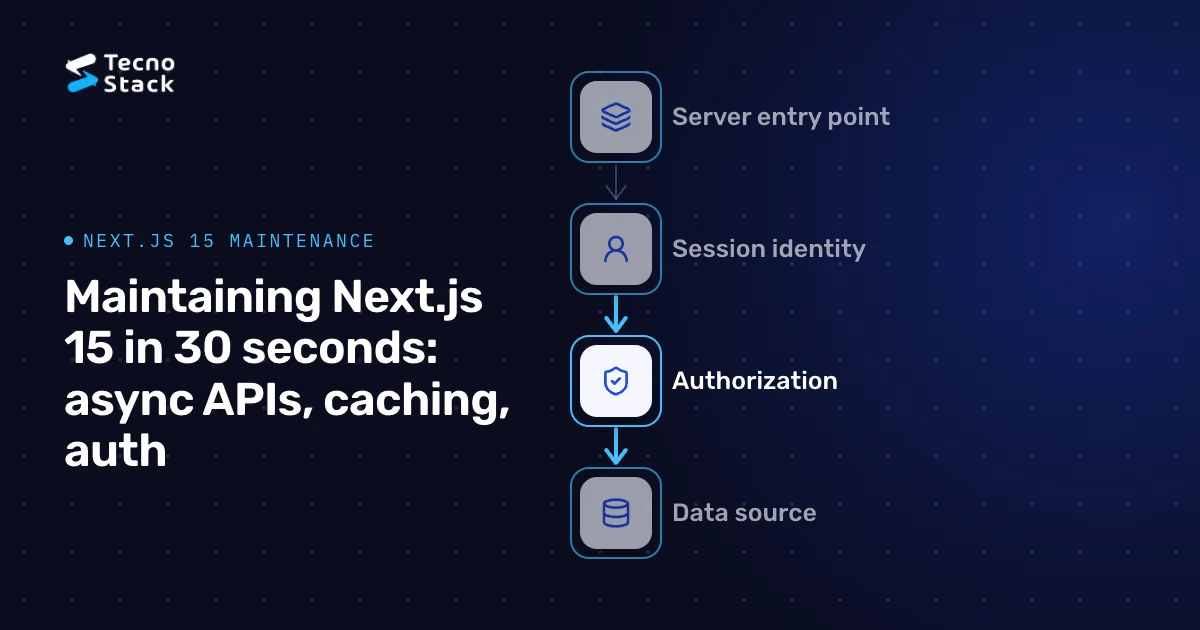
Server Component implementation stays on the server, but rendered content and props may reach the browser. Treat callable server actions as public HTTP endpoints. Server actions can be called directly with crafted requests, and checks placed only in a layout or in middleware may not run for every path by which data can be reached.
Our guidance is to authorize as close to the data as possible:
- Put authentication and permission checks in a data-access layer that every Server Component, route handler and server action uses.
- Check the user's rights inside each server action, using the identity from the server-side session, never from form fields.
- Use middleware for coarse routing, such as redirecting signed-out visitors, but not as the only gate.
- Return only the fields a page needs, so sensitive columns don't reach the client by accident.

Figure 2 — Authorize every data access. Treat actions as callable endpoints.
A successful build doesn't tell you how real visitors experience the result. Compare field data before and after the migration, by page template, device class and language. Google's Web Vitals guidance assesses pages at the 75th percentile of real visits, segmented by mobile and desktop, with good thresholds of 2.5 seconds or less for Largest Contentful Paint, 200 milliseconds or less for Interaction to Next Paint, and 0.1 or less for Cumulative Layout Shift. Lab tests help you reproduce problems, but field data is what confirms a fix. Passing these thresholds is a user-experience goal, not a ranking guarantee; our guide to Core Web Vitals describes a workflow for finding and fixing slow pages.
- Security advisories reviewed, and the framework updated within an agreed time after a fix is published.
- No synchronous request-API access or related warnings left in the codebase.
- A written list of what is cached, for how long, and what refreshes it.
- A two-user, two-language test for personalized data on every release.
- Authorization in the data layer and in every server action.
- Field metrics tracked by template, device and language after each release.
- An upgrade plan to a currently supported release, reviewed every quarter.
These choices sit inside the broader decisions covered in our guide to architecture decisions from MVP to scale. If you need help maintaining or upgrading a Next.js site, our website design and development service covers audits, migrations and ongoing support.
- Vercel. Next.js 15 release notes: async request APIs, the upgrade codemod and changes to caching defaults, including GET Route Handlers.
- Google. Web Vitals: the current Core Web Vitals, their good thresholds and assessment at the 75th percentile.
This guide is specific to Next.js 15; check the documentation for your exact version before changing configuration. The recommendations are TecnoStack's guidance, not requirements from Vercel or Google.