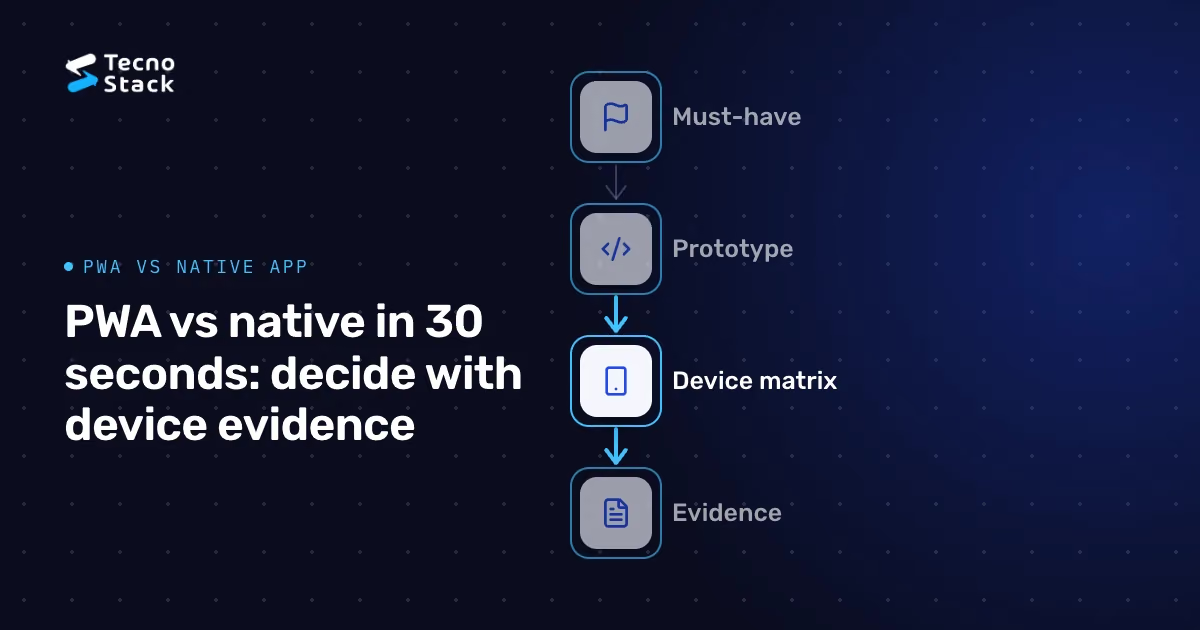
Should you build a progressive web app or a native app? Decide with evidence rather than preference. List the capabilities your product truly needs, test them on the devices and browsers your customers actually use, then compare how each option is distributed, how it works offline, how it integrates with device features and your other systems, and what it costs to keep running for years. A PWA is often enough for content, commerce and internal tools. A native app earns its cost when a must-have capability or a distribution requirement can't be met on the web.
MDN describes progressive web apps as apps built with web platform technologies, such as HTML, CSS and JavaScript, that can offer an experience similar to a platform-specific app. It also notes that capabilities, including whether and how an app can be installed and what it can do in the background, vary by platform and browser. A PWA can share a web codebase across platforms. Deployments publish new versions, but cached assets, service-worker activation and offline devices affect when users receive them.
A native app is built for each operating system's application platform and is usually distributed through app stores. Native doesn't have to mean two separate codebases: cross-platform frameworks such as React Native and Flutter let one team share much of the code between iOS and Android.
Between the two sit hybrid approaches, such as web content inside a native shell. They can combine store presence with a shared web codebase, but they inherit the constraints and review processes of both worlds, so evaluate them with the same evidence.
Write down what the product must do, and mark each item as must-have or nice-to-have:
- Offline use: reading content, filling in forms or completing tasks without a connection.
- Notifications: what must reach users while the app is closed, and how quickly.
- Device features: camera and barcode scanning, location, biometrics, Bluetooth or file access.
- Background work: syncing, uploading or tracking while the app isn't open.
- Payments and identity: wallets, in-app purchases, single sign-on or national identity flows.
- Integrations: back-office systems, maps, analytics and customer-support tools.
For each must-have, check current platform documentation for both options on every target platform. Support changes over time and differs between browsers and operating systems, so treat any article, including this one, as a starting point rather than a verdict.
Use available, appropriately collected analytics and user research to identify the devices and browsers customers use. Analytics may not reveal exact device models or cover a new product, so supplement gaps with interviews and representative device testing. Build a small test matrix from that mix, including older and mid-range devices, not just the team's own phones.
Then prototype the riskiest must-have capabilities and run them on that matrix. Test in Arabic and English, with right-to-left layouts, enlarged text and real network conditions. Record what worked, what failed and what needed a workaround; that record is the evidence your decision rests on.
Accessibility belongs in the same test. The W3C's WCAG 2.2 criteria cover keyboard and assistive-technology access, text alternatives, visible focus and contrast. They are written for web content, and can inform native reviews alongside the accessibility guidance and assistive technologies of each platform. Automated checks catch some issues, but a passing scan doesn't certify an app as accessible, so include manual review with assistive technologies in both languages.

Figure 1 — Test on customer devices. Include languages and accessibility.
Think about where your users come from:
- The web suits products discovered through search, shared links, social posts and campaigns. Links can open relevant product screens directly. Plan cache invalidation and update prompts; offline or already-open clients may stay on older versions.
- App stores add store search, ratings and a familiar install path, along with review processes and policies you must meet on every release.
- Managed distribution through device-management tools can suit internal apps on company devices.
In commerce, many customers arrive from a search result or a shared link and decide in a single visit, so a fast mobile web checkout matters whether or not an app exists; our guide to judging GCC e-commerce through per-order economics explains why the checkout carries so much weight. An app can still pay off for frequent, loyal customers, but measure that rather than assume it.
Neither option works offline by default. MDN notes that offline operation in a PWA requires deliberate implementation, typically a service worker that caches what the app needs. Native apps need equivalent work on local storage and sync. In both cases the hard part is design: which data is available offline, how changes made offline are synced, and what happens when two changes conflict. Limit locally stored personal data, define expiry and logout cleanup, and reauthorize queued writes on the server after reconnecting. Offline access cannot instantly reflect a server-side revocation.
Integration follows the same rule. Authentication, payments, analytics and connections to your back-office systems have to be built and tested on every platform you support. Estimate shared integration work separately from each platform's adaptation, configuration and testing; a shared codebase does not eliminate platform-specific failures.
The first release is only part of the cost; its share depends on the product and its lifetime. Over the life of the product, budget for:
- operating system and browser updates that change behavior;
- store reviews, policy changes and certificate renewals for native releases;
- the number of codebases and the skills each one requires;
- design-system work so web and native interfaces stay consistent in both languages;
- accessibility and performance testing on every release, including field performance on the web, which our guide to Core Web Vitals covers.
Compare the options using your own estimates for these lines, not generic percentages. If an off-the-shelf product could cover part of the need, our nine questions for choosing between SaaS and custom software can narrow what you build at all.

Figure 2 — Estimate lifecycle cost. Include platform-specific testing.
When the evidence allows, start with a fast, accessible web experience, add PWA features such as installation and offline support where they help, and track the capabilities and channels that might later justify an app. Move to native, or add it, when a must-have capability fails on your target devices, when store presence is a genuine distribution requirement, or when usage shows that frequent users would benefit. If native must-haves are clear from the outset, start there, using a cross-platform framework where it fits.
Write down the triggers that would change the decision, so the next review starts from evidence. If you are weighing these options for a product, our mobile app development service can help you build the capability list, run the device tests and plan delivery.
- MDN Web Docs. Progressive web apps: what PWAs are, how capabilities and installability vary by platform and browser, and offline operation.
- W3C. WCAG 2.2 quick reference: accessibility success criteria, including keyboard access, text alternatives, focus and contrast.
Platform capabilities and store policies change, so check current documentation for every target platform. The recommendations here are TecnoStack's guidance, not requirements from browser or platform vendors.