Should you buy a SaaS product or build custom software? Answer nine practical questions before you compare prices. They cover fit, responsibility, data, integration, total cost, roadmap control, operations and exit. Buying usually wins for standard processes that a product already handles well. Building earns its cost when the process sets you apart, when integration or data requirements are unusual, or when you need control a vendor can't give. Many organizations end up with both: a bought core and custom work around it.
This framework is deliberately price-free. Vendor pricing changes and depends on your users, usage and contract, so collect real quotes and fit them into the structure below.
1. Is this process a differentiator or standard practice? Payroll, accounting and ticketing usually work best when they follow established practice. A pricing engine, a fulfillment workflow or a customer experience that sets you apart is a different matter: bending it to a product's assumptions can remove the very thing that makes you competitive.
2. How much of the requirement does the product meet without customization? Don't judge fit from a demo. Write ten to fifteen real scenarios, including awkward ones such as returns, approvals, Arabic content and exceptions, and ask shortlisted vendors to run them with synthetic or suitably minimized sample data that you are permitted to share. Wherever a scenario needs a workaround, note who would build and maintain it.
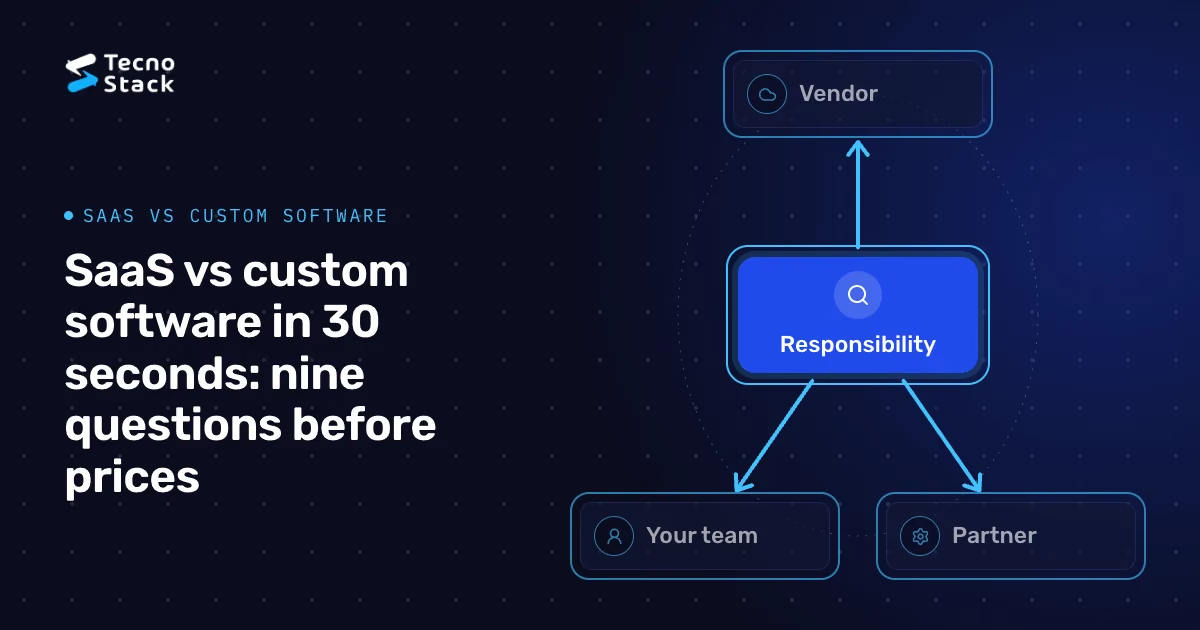
3. Who is responsible for hosting, security, backups, availability and support? With SaaS, the vendor runs much of this, but rarely all of it: you still manage users and permissions, configuration, your integrations and often your own data exports. With custom software, you own all of it, directly or through a contracted partner.
Write the split down as a responsibility table: for each item, who acts, who decides and who is informed. Check it against the contract's service levels and support terms, not the sales presentation. Many disappointments with both options trace back to a responsibility nobody realized was theirs.

Figure 1 — Assign every responsibility. Check written commitments.
4. What data will the system hold, where will it be stored and processed, and which rules apply? For SaaS, ask where data is hosted, which subprocessors handle it and how you can export or delete it. Include logs, backups, support access and deletion timelines, and test recovery rather than assuming a backup promise is sufficient. For custom software you choose the hosting, but that choice alone doesn't establish compliance.
If you process personal data in Saudi Arabia, the Personal Data Protection Law governs that processing whichever option you choose. Its Article 29 deals with transferring personal data outside the Kingdom; it does not ban every overseas transfer, but makes transfers subject to conditions and implementing rules. Compliance depends on your lawful basis, purposes, data subjects' rights and security. Map your data flows and get a qualified legal assessment of the actual processing before you sign.
5. Which systems must connect, and who maintains those connections? List every integration: ERP, payments, identity, messaging and analytics. For SaaS, check the available APIs, webhooks, rate limits and how the vendor announces breaking changes. For custom software, budget for building and maintaining each connection yourself.
6. What is the full cost over the period you expect to use the system? Compare like with like over the same period, using quotes rather than list prices:
- SaaS: subscriptions by user or usage, add-on modules, implementation partners, integration work, workarounds, internal administration time and expected changes at renewal.
- Custom: discovery and build, hosting and monitoring, security and dependency updates, support, enhancements, and keeping the knowledge in your team or partner.
Include migration, training, parallel running and exit costs on both sides, without double counting shared work. Run the comparison for a realistic usage scenario and a growth scenario, state the currency and period, and examine sensitivity to price increases and usage. If the choice involves AI features, measure a pilot's actual costs and outcomes first, as our guide to measuring internal AI copilot pilots describes.

Figure 2 — Compare total lifecycle cost. Use one period and realistic assumptions.
7. How much control do you need over what changes, and when? A SaaS vendor sets its own roadmap, may add features you didn't ask for and may retire ones you rely on. Even a standard process needs a review of the impact of these changes. If your strategy depends on changing a workflow quickly, you need either a vendor with the right extension points or your own code.
8. Can you run what you build? Custom software needs people who can operate, monitor and improve it for years. The AWS Well-Architected Framework is a useful checklist here, whatever your hosting: it reviews operational excellence, security, reliability, performance efficiency, cost optimization and sustainability. Ask a SaaS vendor how it handles the same areas, and ask yourself honestly whether your team or partner can cover them for a custom build. If you do build, our guide to architecture decisions from MVP to scale covers the foundations worth getting right early.
9. If the vendor raises prices, changes direction or is acquired, or if your custom system needs replacing, how would you move? For SaaS, check data-export formats and completeness, API access for migration, contract notice periods and what happens to your data after termination. For custom software, agree ownership or adequate continuing rights to commissioned code, distinguish third-party components and their licenses, and require documentation and administrative access to your own repositories and deployment accounts. Rotate temporary credentials at handover; do not rely on shared personal passwords. Our guide to choosing a software development company in the GCC covers the handover terms to agree before work starts.
First exclude options that fail mandatory legal, security or operational requirements; a favorable price or feature score cannot offset these failures. Then patterns usually emerge:
- Buy when the process is standard, a product handles your scenarios, responsibilities are clear and the exit is credible.
- Build when the process differentiates you, integration or data needs are unusual, or roadmap control matters, and you can operate the result.
- Combine when a product covers the standard core and custom software handles the parts that set you apart, connected through documented APIs.
Record the answers, the quotes and the conditions that would change the decision, and review them at renewal or when the business changes. If you are weighing a custom build for a website or web platform, our website design and development service can help you test the requirement against both options.
- Amazon Web Services. AWS Well-Architected Framework: the six pillars used for architecture reviews.
- Kingdom of Saudi Arabia. Personal Data Protection Law, official government copy, including Article 29 on transfers outside the Kingdom.
This framework is TecnoStack's general guidance, not legal advice. Confirm data-protection obligations for your specific processing with qualified counsel.