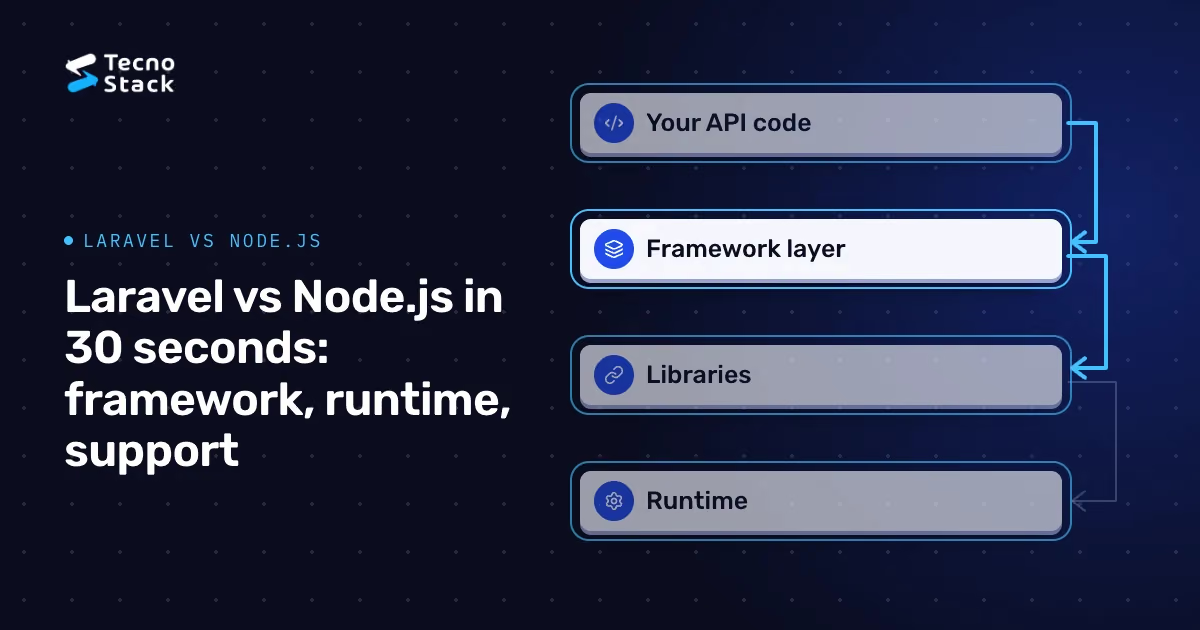
Laravel or Node.js for an enterprise API? Start by noticing that they are different kinds of things. Laravel is a PHP framework with its own conventions and first-party packages. Node.js is a JavaScript runtime: to build an API on it, you add a framework and libraries. The useful comparison is a Laravel application against the Node.js stack your team would assemble, judged on the shape of the workload, evidence about your team, and how you will keep the system supported and running.
One fact changes the starting point for anyone who arrived here looking for Laravel 11. According to Laravel's official support table, bug fixes for Laravel 11 ended on 3 September 2025 and security fixes on 12 March 2026. Laravel 11 is no longer a version to start a production system on.
A framework version can keep running after its scheduled security support ends. Your team then needs an explicit risk and maintenance plan instead of relying on that support, especially for an API handling customer or financial data.
If you run Laravel 11 today:
- Plan an upgrade to a supported Laravel release. Check the current support policy in the official documentation, follow the upgrade guide for each version step, and confirm that your third-party packages support the target version.
- Upgrade the platform underneath too. The PHP version, database drivers and server images have their own support windows.
- Lean on tests. An upgrade is safest when automated tests cover your main endpoints, so write the missing ones before you start.
- Don't treat end of support as a reason to rewrite. An upgrade can retain more code and framework knowledge. Moving to another stack requires rebuilding part of that investment and needs its own justification.
For a new project, the fair comparison is a currently supported Laravel release against a Node.js stack on a supported release line. The rest of this article makes that comparison.

Figure 1 — Laravel 11 support ended. Plan a tested upgrade.
Laravel arrives with decisions already made. Routing, validation, an ORM, queues, scheduled jobs and testing tools follow one set of conventions, so a team can move from an empty project to working endpoints without choosing each part, and a developer who knows Laravel can find their way around another Laravel codebase.
Node.js gives you the runtime and its package ecosystem. For an API you choose a framework, such as Express, Fastify or NestJS, then an ORM or query builder, a validation library, a job queue and so on. That freedom suits teams with clear preferences. It also means someone has to choose those packages, keep them compatible and follow their maintenance over the years.
Neither model is better in general. Laravel's conventions save decisions; a Node.js stack lets you make different ones. The real question is which trade fits your team and your workload.
Describe the work before discussing tools. Three common shapes:
- Business back office. Many entities, forms, validation rules, reports, scheduled jobs and admin screens. Laravel's built-in conventions cover much of this. A Node.js stack can do the same once its pieces are chosen and wired together.
- Many concurrent connections with little computation each. Live dashboards, notifications or chat. Node.js handles many simultaneous waits on input and output in a single process through its event loop, which suits this pattern naturally. PHP applications usually serve concurrency through multiple worker processes and can also deliver real-time features, so compare the operational setup each option needs.
- A backend-for-frontend for a TypeScript web or mobile app. A Node.js layer written in TypeScript can share types with the frontend, helping catch mismatches between what the API sends and what the interface expects. Shared types do not replace runtime validation of requests and responses.
CPU-heavy work, such as large reports or media processing, belongs in background jobs or separate services on either stack. And in many business APIs, most response time is spent waiting on databases and other services, so measure where your time goes before treating framework speed as the deciding factor.
Claims about which skills are easier to hire in a particular city are usually anecdotes. Collect your own evidence instead:
- Which languages and frameworks does your current team know well enough to review each other's code?
- What did your recent hiring rounds show about candidates for each skill set in your market?
- Who will maintain the system in three years, and does your vendor or partner have real depth in the chosen stack?
- Does your frontend team already work in TypeScript, and would they share code with the API?
When both options meet the requirements, team familiarity is a practical tiebreaker. Test that advantage on a representative endpoint rather than assuming it outweighs every workload difference.
Over the life of an enterprise API, keeping it supported, observable and secure can take substantial effort beyond the first version. Plan for:
- Release lifecycles. The Node.js release schedule says production applications should use Active LTS or Maintenance LTS release lines. When we checked in October 2026, Node.js 22 and 24 were LTS lines and Node.js 20 had reached end of life. Laravel and PHP publish their own support periods. Put upgrades on the roadmap instead of waiting for an end-of-life date.
- Dependency and security updates. Both ecosystems rely on many third-party packages, so automate vulnerability alerts and review updates regularly.
- Runtime operations. Queue workers, scheduled jobs, process management, logs, metrics and traces need owners on either stack.
Early choices about service boundaries, data ownership and observability usually matter more than the language. Our guide to architecture decisions from MVP to scale covers them.
When the choice is close, build one representative endpoint in each option instead of debating:
- Pick an endpoint that reflects the real work, with authentication, validation, database access and one external call.
- Agree the criteria first: response times at your expected concurrency, code clarity, test effort, deployment steps and what the logs and traces reveal.
- Use realistic data and the hosting you would actually run.
- Record the decision, the evidence behind it and the conditions that would make you revisit it.
It is also worth confirming that you need custom backend work at all. If a SaaS product covers most of the requirement, our guide to choosing between SaaS and custom software may settle the matter first.

Figure 2 — Test a representative endpoint. Agree criteria before writing code.
Some organizations run Laravel for internal systems and Node.js for real-time or frontend-facing services. That works when each service owns a clear boundary, deploys separately and communicates through documented contracts such as OpenAPI specifications, with shared authentication and tracing. It works poorly when both live inside one domain and every change needs two skill sets.
If you decide to move part of a Laravel 11 system to Node.js, or to a newer Laravel release in a fresh codebase, move it incrementally behind a routing layer rather than in a single cutover. Our guide to legacy modernization with the strangler fig pattern explains how to route traffic, assign data ownership and roll back safely.
If the API supports a website or web platform you are planning, our website design and development service can help you weigh the backend options against your workload and team, then build and support the result.
- Laravel. Laravel 11 release notes, including the support policy table: bug fixes until 3 September 2025 and security fixes until 12 March 2026.
- Node.js. Previous releases: release phases, the current release lines and the recommendation to use Active LTS or Maintenance LTS releases in production.
The supported release lines change as new versions ship, so check both pages before you plan. The recommendations in this article are TecnoStack's guidance, not requirements from the Laravel or Node.js projects.