
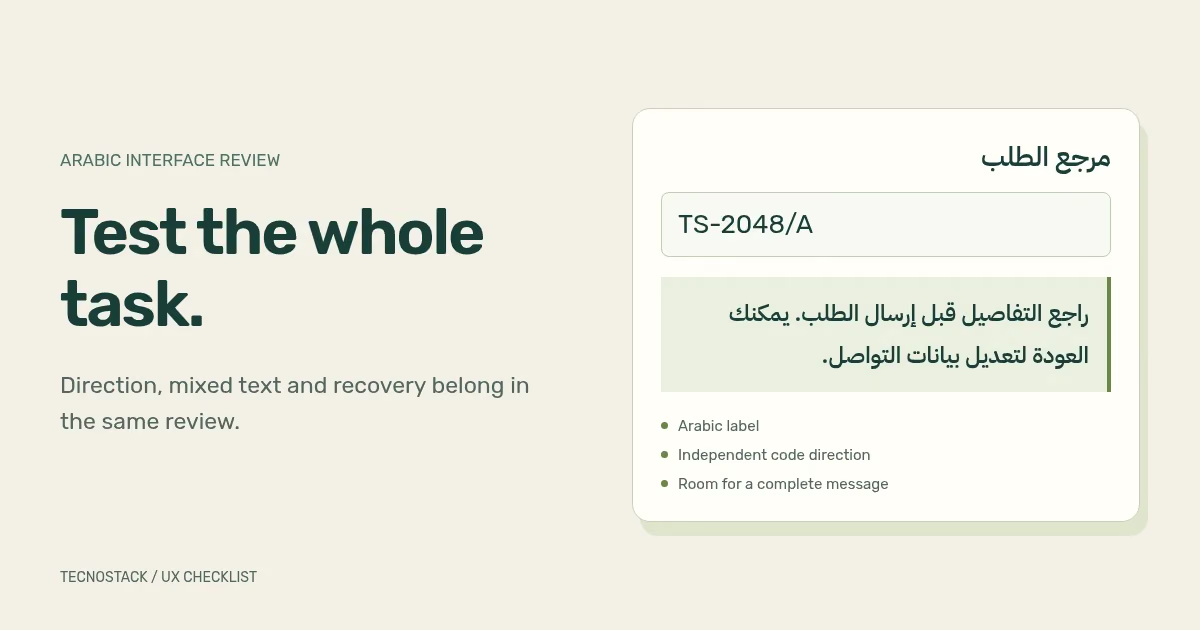
An Arabic RTL UX review should check whether people can complete the same tasks in Arabic, with readable text, stable mixed-direction values and usable controls. Start with a journey such as choosing a service or correcting a form error. Then inspect the components along that route.
This checklist is a working aid for designers, developers and Arabic content reviewers. The examples are invented test content. They describe what to inspect, not findings from a client project or a complete accessibility audit.
Write a task and an end state before reviewing screens. For a hypothetical enquiry form: “Choose the requested service, enter contact details, correct an invalid field and reach a confirmation.” Include the error and confirmation states in the design brief. They often receive less attention than the first screen.
List the content a person may bring into that task. An Arabic-speaking customer might enter an English company name, an international phone number or an email address. A procurement team might paste a reference containing letters, digits and punctuation. The interface should accommodate those values without making the customer change how their details are written.
Keep a small set of realistic test records with the component library. Use fictitious names and reserved example domains, and keep real customer data out of design files. Add a long label, an empty result and an error with a useful next step. The aim is to expose layout and interaction assumptions before release.
For an Arabic HTML page, W3C guidance recommends setting the document's base direction with dir="rtl" and declaring its language with lang="ar". Language and direction are separate attributes. Logical CSS properties, such as padding-inline-start, let spacing follow the reading direction. W3C guidance on structural direction
Ask the developer to review the actual markup with you. A page can look right-aligned while still carrying the wrong base direction. A screenshot also cannot show whether the keyboard sequence follows a sensible task order. Check the implemented menu, form and confirmation, including any third-party booking or payment screen that belongs to the journey.
Use one component specification for both languages where the behaviour is shared. Record genuine differences explicitly. “Arabic version” is too broad a handover instruction; “the summary follows the form in keyboard order in both languages” is reviewable.
Order references, email addresses and embedded English product names need their own review inside Arabic sentences. W3C recommends tightly wrapping an opposite-direction phrase and setting its direction. For inserted text of unknown direction, use dir="auto" on its wrapper or a bdi element. W3C guidance on inline bidirectional text
Give the developer a test set that includes punctuation at both ends of a value. For example, the following are separate sample fields, not a sentence to reverse:
| Field | Fictitious test value | What to inspect |
|---|---|---|
| Order reference | TS-2048/A | Slash and hyphen stay with the intended code |
| Contact email | orders@example.com | Display and copied value retain their order |
| Customer name | نورة السالم | Arabic letters stay connected and readable |
| Company name | Example Studio (Riyadh) | Parentheses remain associated with the name |
| Long message | A full Arabic explanation of a requested change | Lines wrap without covering adjacent controls |
Inspect the same values in the input, validation message, summary and confirmation. A correct input field can still feed a broken summary component. Copy a displayed reference back into a plain-text field and compare it with the original. Where users can edit the value, check cursor movement and selection in the browsers your team supports.
Keep labels visible while someone types. Provide an example when the expected format is unclear, and make the error say what the person can do next. A generic “invalid input” message leaves the customer guessing which part needs attention.
Agree how phone numbers, dates and numerals are accepted and displayed. Display conventions and accepted input do not have to be identical. For example, a team may choose one numeral style for prices while accepting more than one reasonable input form in a contact field. Document the conversion and validation behaviour, then test it with the backend.
Avoid inventing national numbering rules in the design file. If a field accepts only a particular country or format, confirm that requirement with the product owner and the service that validates it. Include an international customer scenario when international enquiries are in scope.
Test an error after other fields have been completed. Confirm that the entered values remain, the error is associated with the right field and the user can reach it by keyboard. Check the success message too: it should explain what happened and what the customer can expect next.
Review navigation arrows, pagination, progress steps and breadcrumbs according to their meaning. A “next” control should lead to the next step consistently. Branding and non-directional symbols need separate decisions; a blanket transform on every icon makes those decisions accidentally.
Tables and charts deserve their own specifications. Decide the column order, alignment of numeric values and how a person identifies the row being read. A business chart may have an established axis meaning that the team wants to preserve across languages. Document that meaning instead of assuming that every visual sequence should reverse.
Check the language switcher from an inner page. The expected destination is usually the equivalent page in the other language. Agree what should happen to a partially completed form, selected filters and unsaved work before implementation. Then test that behaviour deliberately.
Review the chosen typeface with connected letters, diacritics, long headings and real button labels. Inspect the top and bottom of each line for clipping. Compare normal text with bold text and links, and check that a fallback font remains readable while the intended font loads.
Test enlarged text as well as a narrow screen. WCAG 2.2's resize-text criterion requires text to support enlargement up to 200% without losing content or functionality, with stated exceptions. Its reflow criterion addresses vertically scrolling content at a width equivalent to 320 CSS pixels, with exceptions for content requiring a two-dimensional layout. These are distinct checks. W3C: Resize Text, W3C: Reflow
Record the browser, viewport and enlargement method used. “Looks fine on mobile” does not tell the next reviewer what was checked. Include open menus, errors and confirmation messages in the review; they may have different wrapping constraints from the main page.
The worksheet below is TecnoStack's suggested handover format. Add one row for each meaningful state, assign an owner and attach evidence from the working product. Leave unresolved rows open rather than approving them from a mock-up.
| Review area | Acceptance evidence | Reviewer |
|---|---|---|
| Task and wording | Arabic reader completes the agreed task and understands the next step | Content reviewer and researcher |
| Mixed text | Codes, names and punctuation display and copy correctly in each state | Developer and Arabic reviewer |
| Form recovery | Errors identify the field; entered values remain; keyboard recovery works | Developer and tester |
| Directional controls | Each arrow and sequence follows its documented meaning | Designer |
| Text and layout | Long content, narrow viewport and enlarged text remain usable | Designer and tester |
| Language switching | Equivalent destination and agreed state handling work | Developer |
| Accessibility | Keyboard and assistive-technology findings are recorded and resolved or assigned | Accessibility reviewer |
| Handover | Component rules, test content and remaining limitations have named owners | Product owner |
Use the same underlying task for English and Arabic, expressed naturally in each language. The usability testing worksheet helps you plan those sessions. Keep reusable direction and state rules in your design system so the next feature inherits the decision.
For a product with several unresolved journeys, start by agreeing which flow to review and what evidence is available. Our UI/UX design service covers scoped audits, prototypes and design-system handover. Share the product, languages, user roles and current difficulty so we can define a review your team can act on.


