
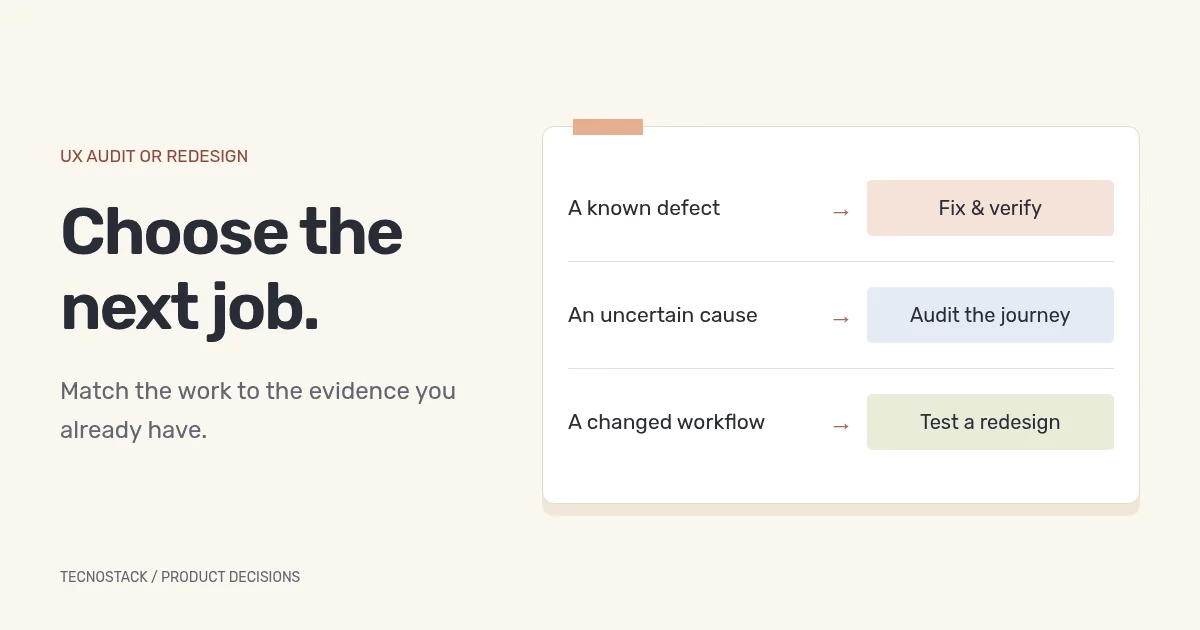
Start with a UX audit when the difficulty is real but its cause or next action is uncertain. Start a redesign when the available evidence supports changing the flow, structure or interaction. If you can reproduce an isolated defect and know the intended behaviour, a focused fix may be the right first job.
These are decisions about scope. A redesign can include research, and an audit can lead to prototype work. Ask what the team needs to learn or change before comparing proposals with those labels.
Describe the problem as a task and an observed difficulty. “Customers cannot finish the enquiry form after an error” gives a reviewer something to investigate. “The website needs to feel modern” describes a preference, but does not establish where people struggle or which work would help them.
Record where the observation came from. A support conversation, a reproducible technical failure and a change in an analytics report are different kinds of evidence. Keep the source, date, language and device context with the observation.
If the concern comes from a dashboard, check that the measurement itself is working. A missing confirmation event can resemble a fall in completed enquiries. If the concern is that submitted requests receive no response, inspect the operational handover as well as the form. Repainting the screen will not resolve a request that never reaches its owner.
The following is TecnoStack's decision aid. It does not assign a universal budget or duration to each option.
| Situation | Sensible first step | Evidence needed before expanding the scope |
|---|---|---|
| A specific defect is reproducible and intended behaviour is agreed | Fix it and verify the complete task | Confirmation that the correction works and has not broken adjacent states |
| People struggle in a journey, but the team disagrees about why | Audit that journey and identify research gaps | Findings tied to observations, with a clear next decision |
| User roles or the underlying workflow have changed | Map the new flow and test a redesign prototype | Evidence that the proposed steps support the new task |
| The visual identity has changed but the workflow still works | Scope the visual and content update | Review of readability, states and consistency after applying it |
| A report suggests a problem but its data is unreliable | Review measurement before drawing design conclusions | A trustworthy definition and record of the event being assessed |
A product may contain more than one of these situations. You can fix an obvious error while researching another journey. Keep each work item attached to its own evidence and owner rather than turning every observation into a full-site redesign.
Agree the journey, users, devices, languages and states being reviewed. A narrow audit can be more useful than a long inventory of surface observations across an entire product. Include the entry point, the intended completion and the recovery paths between them.
An expert review may use usability heuristics to identify likely problems. NN/g describes heuristic evaluation as a review against guidelines and explains that it complements, rather than replaces, research with users. Its guidance also stresses context: a guideline violation is not automatically the wrong design choice. NN/g's heuristic evaluation method
Ask the reviewer to distinguish what they reproduced, what users demonstrated and what remains a hypothesis. A recommendation should show the relevant screen or state, explain the difficulty and propose an action that the team can evaluate. “Improve the user experience” is too broad to estimate or accept.
Accessibility work needs an explicit scope too. W3C's preliminary checks cover selected issues and cannot establish a comprehensive assessment. A quick review, an automated scan and a standards-based evaluation are different deliverables. W3C's explanation of preliminary accessibility checks
Use one record per finding. The example below describes an invented enquiry form; it is not a finding from a TecnoStack client.
| Record field | Hypothetical entry |
|---|---|
| Task and state | Send an enquiry after correcting the email field |
| Observation | The submit control remains disabled after the field is corrected |
| Evidence | Reproduction steps and a recording from the agreed test environment |
| Effect on the task | The reviewer cannot complete the enquiry through this route |
| Interpretation | The field-validity state may not update after correction; developer investigation needed |
| Proposed action | Reproduce the state change, correct it and retest the complete submission |
| Acceptance | The agreed valid input can be submitted; the confirmation matches the received request |
| Owner and follow-up | Assign the implementation owner and the person who verifies the result |
This record supports a focused investigation. It does not establish how many customers encountered the problem or how much revenue it affected. Those claims would need separate evidence.
Prioritise findings by their effect on the task, the strength of the evidence and the dependencies of the proposed change. Record whether a person can recover or is blocked. Use a shared severity definition so one reviewer's “critical” does not mean another reviewer's “annoying”.
A redesign is useful when improving the experience requires changing how the task is structured. For example, a product may now serve an approver as well as the person submitting a request. If those roles need different information and permissions, the work may reach beyond a label or colour change.
Write the new flow before polishing individual screens. Include empty, loading, error, interrupted and completed states where they apply. Identify which behaviours the prototype can demonstrate and which depend on production code or an integration.
Test the proposed flow around a specific decision. Our usability testing plan includes a worksheet for tasks and observations. If the product serves both languages, use the Arabic RTL review checklist to cover mixed text, forms and handover. An English prototype result cannot stand in for an untested Arabic task.
Keep developer review inside the design process. A prototype may assume information that the application cannot retrieve, or an action the current permission model cannot perform. Finding that dependency before approval makes the eventual build scope clearer.
Ask each supplier to answer the same brief. State the task, the evidence already available and the decision you want to make. Share the existing design files or access arrangements relevant to that task; unrestricted access to customer records is rarely necessary for an initial scoping conversation.
For an audit, ask for the review coverage, evidence format, prioritisation approach and explanation of what is excluded. For a redesign, add the journeys, screen states, prototype behaviour, language coverage and handover format. Agree who recruits participants and who approves changes when research is included.
The final deliverable should make the next action clear. For every finding or proposed flow, identify the decision owner, the implementation dependency and the way you will check the result. This is also where the team separates design work from development, analytics changes and ongoing optimisation.
If the redesign changes website URLs or published content, include the website redesign and SEO checklist in the implementation plan. That work has its own acceptance checks beyond approving the interface.
Our UI/UX design engagements separate journey review, prototype design and design-system work. Send the product, the task that is causing difficulty and the evidence you already have. We can agree the first useful decision and the scope needed to reach it.


