
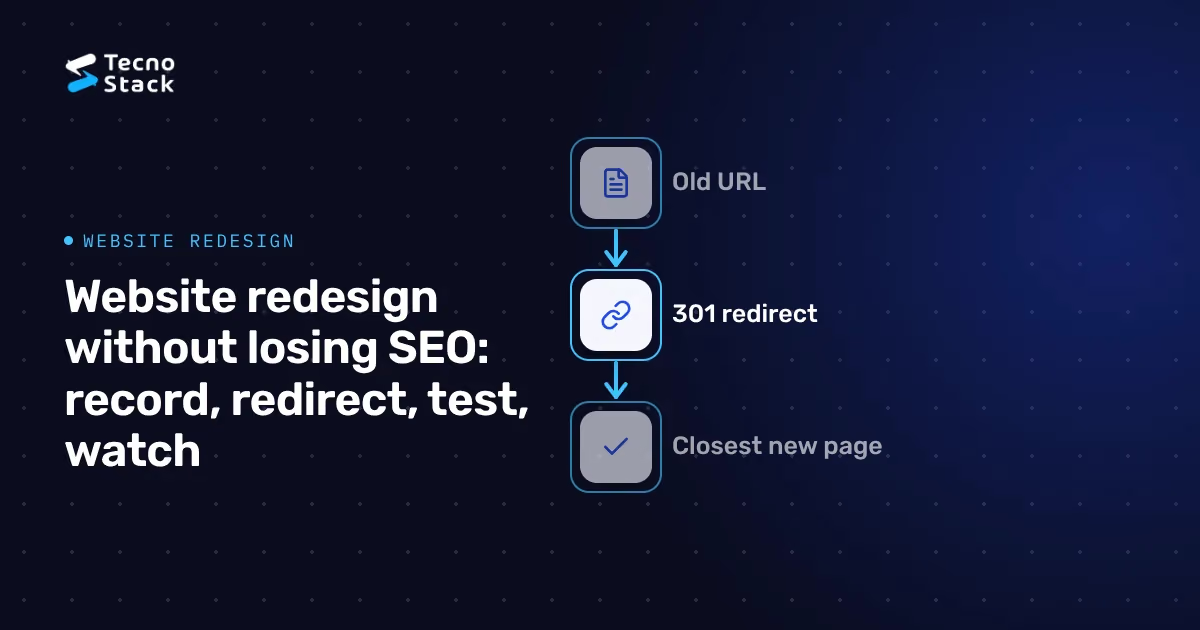
For a website redesign without losing SEO, keep every URL that earns visits or links, or send it to its closest new page with a permanent 301 redirect. Carry each page's content, title and internal links into the new design, test the whole site on staging, and watch Search Console for several weeks after launch.
A redesign puts rankings at risk in a few predictable places: URLs that move without a redirect, pages that get cut or thinned, internal links that still point at old addresses, and a staging block left switched on after launch.
A redesign hurts rankings when it changes what Google has already learned about your pages: their addresses, their words and the links between them. A new look on the same URLs, with the same text and internal links, leaves Google little to relearn. A new URL structure, CMS or domain turns the redesign into a site migration, and Google has to process every moved page again.
Find your project in this table before you plan anything else:
| What changes | Risk to rankings | What it asks of you |
|---|---|---|
| Visual design only, same URLs and text | Low | Check headings, templates and page speed before launch |
| Templates, menus or page content | Medium | Keep the text that answers searches and recheck internal links |
| URL structure | High | A redirect map with one 301 for every old URL |
| CMS or platform | High | A redirect map, plus titles, descriptions and structured data carried across |
| Domain name | High | A redirect map, then Google's Change of Address tool |
| Hosting only, same URLs | Low | A lower DNS TTL before the switch and a test of the new server |
These risk levels are a planning guide from us, with no measurement behind them. If your project touches several rows, plan for each of them.
Record the old site before anyone changes it. The redirect map, the content checks and your comparison after launch all depend on this snapshot, and you cannot rebuild it once the old pages are gone.
Save four things:
- Every URL the site serves. Crawl the whole site with an SEO crawler and export each URL with its status code, title, meta description, H1 and canonical tag. Include the PDFs and images that other sites link to.
- Search performance by page. Export Search Console's Performance report for pages and for queries, over the longest date range it offers.
- Pages that bring enquiries. From your analytics, list the landing pages where enquiries, calls and orders start. Protect these first.
- Links from other sites. Search Console's Links report shows which of your pages have the most links from other sites. Each of those pages needs a redirect to a real equivalent.
Keep the crawl file. After launch you crawl the new site and compare the two, URL by URL.
A redirect map is a spreadsheet with one row per old URL: the old address, the new address and the status code. Google recommends server-side permanent redirects, 301 or 308, when a page moves for good, and its guide to moving a site says to keep them for as long as possible, generally at least a year, as of October 2026.
An illustrative map for three pages:
| Old URL | New URL | Status |
|---|---|---|
| /services/web-design.html | /en/services/website-design | 301 |
| /news/2019/seo-tips | /en/blog/seo-tips | 301 |
| /summer-offer-2022 | No equivalent | 404 or 410 |
Follow four rules when you fill it in:
- Send each URL to its closest match. Google warns against redirecting many old URLs to one irrelevant page, such as the new home page, and says it may treat that as a soft 404.
- Go straight to the final address. Redirect each old URL in one hop. Where a chain cannot be avoided, Google advises keeping it short, ideally no more than 3 redirects. If the site has been redesigned before, update the older redirects too, so they point at the new addresses.
- Let dead pages go. A page with no equivalent, no visits and no links can return 404 or 410. Google treats every 4xx status except 429 the same way and drops the URL from its index.
- Prefer the server. If your platform cannot set server-side redirects, Google reads an instant meta refresh as permanent. Keep JavaScript redirects as a last resort: Google may never see one if the page fails to render.
A bilingual site needs a redirect map for each language and two extra checks: the form of the Arabic URLs and the hreflang links between versions.
- Redirect each language to its own match. An old Arabic page goes to the new Arabic page, never to the English one, and the reverse.
- Watch the Arabic URLs. If the Arabic pages switch from Arabic slugs to Latin ones, or the other way round, every Arabic URL changes and needs its own redirect. Google's URL structure guidelines recommend words in your audience's language, with non-ASCII characters such as Arabic letters percent-encoded, and use an Arabic address as their example, as of October 2026. Test each Arabic redirect with the percent-encoded address, because browsers and crawlers request it in that form.
- Update hreflang on both versions. Point the annotations at the new URLs. Google's guidance on localized versions says each language version must list itself and all other versions, and that Google can ignore the tags when two pages do not point to each other.
- Keep one URL per language. Let visitors switch languages with a link. Google advises against redirecting people automatically to the language your site guesses they speak, one reason our guide recommends building Arabic and English as separate pages.
If your editors will manage both languages in a new CMS, settle slugs and translation links in the content model first. Our notes on a content model that survives redesigns show how.
Staging is a private copy of the new site where you catch mistakes before Google sees them. Protect it with a password. Google's robots.txt guide says robots.txt does not keep a page out of Google: a blocked URL can still appear in results, without a description.
Then check each template against your crawl of the old site:
- One H1 per page, with the old title and meta description carried over or deliberately improved.
- A self-referencing canonical tag on every new URL, as Google's site move guide recommends.
- Menus, footers and in-text links that point at the new URLs directly, not through redirects.
- The text that answered searches, still on the page. A redesign that swaps paragraphs for icons and slogans can remove the words Google matched to those searches.
- Alt text for images in both languages, and structured data that still validates.
- Every row of the redirect map, tested in bulk. Google suggests the URL Inspection tool for single URLs and scripts or command-line tools for large numbers.
Test speed on the new templates now, then confirm it with field data once real visitors arrive. Our workflow for checking Core Web Vitals after launch shows how to compare the same pages before and after.
Launch day is an ordered list. Run it in this sequence and tick off each step:
- A week or more before: if the hosting changes too, lower the DNS TTL. Google's guide to changing hosting suggests a low value, such as a few hours, set at least a week ahead.
- Publish and redirect together. Switch on the redirects at the moment the new site goes live.
- Remove the staging blocks: the password, any noindex tags and any robots.txt rules that blocked crawling. Google's hosting guide reminds you to remove robots.txt blocks from the new copy before the move.
- Crawl the live site with the redirect map. Each old URL should answer with one 301 to the right page, and each new URL with a 200.
- Submit the new XML sitemap in Search Console. Google's site move guide says you can then remove the old one.
- Inspect your key pages with the URL Inspection tool: the home page, your main services and the pages that bring enquiries.
- If the domain changes: use the Change of Address tool. Google says you need it only when moving from one domain or subdomain to another, not for a move to HTTPS or for new paths on the same domain.
If the hosting moves as well, agree a cutover window and a way back with your provider. Our questions to ask before a hosting move cover backups, DNS ownership and who does what.
Give it a few weeks, and longer for a large site. Google's site move guide says a small to medium site can take a few weeks for most pages to move to new URLs and larger sites take longer, as of October 2026, and that rankings can fluctuate while Google recrawls and reindexes the site. A redesign that keeps its URLs has no addresses to move, so there you watch for the effect of new templates and content.
Compare the new site with your baseline every week:
- Page indexing report. Check the reasons listed under "Not indexed", especially Not found (404), Soft 404 and Page with redirect. A rise in 404s points to missing redirects, and soft 404s can mean old URLs redirect to an unrelated page.
- Performance report. Compare clicks and impressions for your top pages and queries with the export you saved.
- Enquiries by landing page. Search traffic can hold steady while a new form or layout converts fewer visitors, so judge the redesign on enquiries too.
- Visits to old URLs. Traffic that still lands on old addresses in your server logs or analytics means a redirect is missing or wrong.
Name one person who owns the redirect map, the staging checks and the first weeks of monitoring, and write that into the proposal. When the designers, the developers and the marketing team each assume someone else checked the URLs, nobody does.
Ask any team quoting for your redesign:
- Who builds and tests the redirect map, and how many URLs does the quote cover?
- Will titles, meta descriptions and structured data carry over, page by page?
- Is there a staging site, and how do you keep it out of search results?
- Who removes the staging blocks on launch day and checks the live redirects?
- Who watches Search Console after launch, and for how long?
- Who owns the Search Console property, the analytics account and the domain afterwards?
A map for 30 URLs and a map for 3,000 are different jobs, so share your URL count when you ask for a quote. Our Business website plan includes redirects for up to 100 old URLs, and the Connected website plan up to 300. For the build itself, our guide to website prices by page layout and language shows what drives the rest of the budget.
If you are choosing a website design company in Saudi Arabia for the rebuild, ask how they plan the move. On our projects we agree goals, audiences, content priorities and a sitemap with you before anyone opens a design tool, and we check the technical SEO groundwork for speed and accessibility before launch.
Copy this list into your project plan.
Before design
- Crawl the old site and save every URL, title, description and canonical tag.
- Export Search Console performance by page and query, and list the pages that bring enquiries.
During the build
- Map every old URL to its closest new page with a server-side 301, in one hop.
- Keep the content, titles and internal links that earn traffic.
- Redirect each language to its own match and update hreflang on both versions.
- Keep staging behind a password.
On launch day
- Remove the staging blocks, switch on the redirects and crawl the live site.
- Submit the new sitemap and inspect your key pages.
After launch
- Compare indexing, clicks and enquiries with your baseline every week.
- Keep the redirects for at least a year.
If you are planning a redesign, send us your current site and key pages, with the languages you need. We look at what you have before we agree the scope, timeline and price, and nobody, including us, can guarantee rankings after a move.
We checked the Google Search Central and Search Console Help pages cited in this article on 21 October 2026.


