
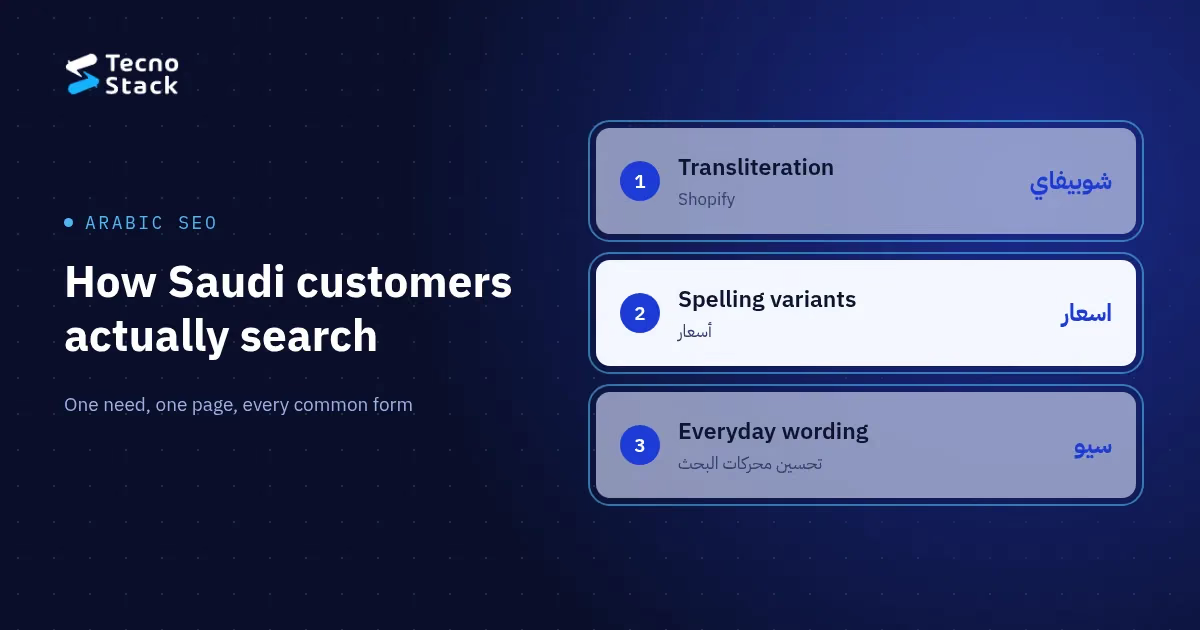
Arabic SEO is the work of matching Arabic pages to the way people in Saudi Arabia search. The same need is typed as شوبيفاي or Shopify, أسعار or اسعار, سيو or تحسين محركات البحث. Find the forms your customers use, give each need one page, put the main form in its title and use the others where they read naturally.
This guide covers the four patterns we check during Arabic keyword research for Saudi websites: transliteration, spelling variants, everyday wording and mixed-language queries. It then shows how to place those variants without keyword stuffing and how to check them against your own search data.
A keyword list translated from English gives you formal Arabic, and formal Arabic is not always what people type. Formal Arabic is still the right language for your page copy. But someone looking for a website agency on their phone may write "تصميم موقع الكتروني" without the hamza, or "كم سعر" instead of "تكلفة". Someone comparing store platforms may write the brand in Arabic letters.
When we mapped keywords for TecnoStack's own 22 service pages in October 2026, several Arabic titles used only the formal or Latin form of a term. The Arabic Shopify page named the platform only as "Shopify", and the SEO page used "تحسين محركات البحث" without the everyday "سيو". Both titles now carry both forms. The edit itself was small, and we would not have spotted it without looking at real queries.
Most differences between Arabic searches for the same need fall into four groups. Check each one before you choose the words for a page.
Transliteration: شوبيفاي or Shopify
International brands and technical terms are written in two scripts. Arabic searchers type Shopify and شوبيفاي, WooCommerce and ووكومرس, WordPress and ووردبريس, VPS and سيرفر. Some terms have more than one Arabic spelling, so check which one appears in real queries before you settle on it.
Our Arabic Shopify page title now reads "تصميم وتطوير متاجر Shopify (شوبيفاي)", and the WooCommerce page follows the same pattern. One title carries the brand in both scripts and still reads like a sentence.
Spelling variants: ا/أ/إ, ة/ه and ى/ي
Three letter pairs cause most Arabic spelling variants in search:
- Hamza on alef. Many people type a bare alef (ا) where formal spelling uses أ or إ: "اسعار" for "أسعار", "انشاء متجر" for "إنشاء متجر", "الكتروني" for "إلكتروني".
- Taa marbuta and haa. A word ending in ة may be typed with ه: "شركة" can appear as "شركه".
- Alif maqsura and yaa. A final ى and a final ي are often swapped: "مستشفى" can appear as "مستشفي".
Search software treats these as different characters unless someone tells it otherwise. Apache Lucene, a widely used open-source search library, documents an Arabic normaliser that turns hamza-on-alef forms into a bare alef, taa marbuta into haa and alif maqsura into yaa, and removes diacritics and tatweel. Developers write rules like these because the variants are a normal part of how Arabic is typed.
Do not assume Google treats any pair as the same word, or as different words. Search both spellings and compare the results. Keep the correct spelling in your page copy; the variant usually turns up naturally elsewhere, for example in a customer question you quote.
Everyday wording and dialect
Many Saudi searches use everyday words instead of formal terms. These are the pairs we found worth checking while planning our own pages:
| Formal term | Everyday form often typed |
|---|---|
| تحسين محركات البحث | سيو |
| خادم افتراضي | سيرفر |
| تسويق رقمي | تسويق الكتروني |
| روبوت محادثة / RAG | شات بوت |
| تكلفة | كم سعر / اسعار |
| تطوير تطبيقات | برمجة تطبيق / تصميم تطبيق |
The table lists what to test, not measured search volumes. Volumes differ by topic and change over time, so confirm each pair in Google Keyword Planner with Saudi Arabia and Arabic selected, or in your own Search Console data.
English inside Arabic searches, and Arabic speakers searching in English
Saudi searches often mix scripts: "واتساب API", "ربط سلة API", "متجر Shopify عربي". Many Arabic speakers also search in English for technical or B2B topics. A bilingual business therefore needs two pieces of keyword research, one for what customers type in Arabic and one for what they type in English. Translating one list into the other language covers neither group well.
Cover variants by choosing one main form per page and letting the others appear once, where a reader would expect them. Google's spam policies (as of October 2026) define keyword stuffing as filling a page with keywords or numbers to manipulate rankings, including repeating the same words or phrases so often that the text sounds unnatural. A line that reads "سعر شوبيفاي، اسعار شوبيفاي، أسعار Shopify" is exactly that. Work through these steps instead:
- Choose the main form for the title and heading. Pick the form that best matches what your customers type and what the page offers. Pair a Latin brand with its Arabic spelling in brackets when both are common.
- Use the other forms where they read naturally. A body paragraph, an FAQ written in your customer's words, an image description or a table can each carry a variant once.
- Give one need one page. Spelling variants and transliterations belong on the same page. Separate pages for "اسعار" and "أسعار" compete with each other and read as duplicates.
- Split pages by intent, not by spelling. "كم تكلفة متجر" and "كيف أنشئ متجر سلة" are different needs: one wants a price range, the other wants steps. They deserve different pages.
- Link with descriptive anchors. Internal links tell readers and search engines what the destination covers. Use the term the destination page targets, not "click here".
Each language version needs its own URL, its own metadata and its own keyword research. Google's guidance on multilingual sites (as of October 2026) recommends a different URL for each language version instead of switching language with cookies or browser settings. It advises against redirecting people based on their guessed language, recommends hreflang annotations so search results link to the right version, and recommends one language per page instead of side-by-side translations.
For a Saudi website, that means:
- an Arabic page at its own URL, laid out right to left, with its own title, description and headings written for Arabic searches;
- an English page at its own URL, researched separately;
hreflanglinks between them, and a visible language switch;- metadata, image descriptions and FAQs written in the page's language, not left in English.
Content structure decides whether this stays manageable. Read about structuring CMS content before migration to see how each language gets its own fields and URLs. Speed counts in both languages too, and our guide on how Core Web Vitals are measured shows how to check what real visitors experience on each version. If you are commissioning a new site, write both language versions into the brief so that website quotes compared by scope cover the same work.
Visitors search your site the way they search Google, so your site search needs Arabic normalisation too. If your site search, store search or help centre compares raw text, a customer who types "اسعار" will not find a page titled "أسعار". Fold alef forms, taa marbuta, alif maqsura and diacritics together, as the Lucene normaliser above does. Our own journal search removes Arabic diacritics and tatweel and folds the alef forms for this reason. Test the result with real queries, because folding letters together can occasionally merge words that should stay distinct.
Start with the searches that already reach your site, then widen out. You do not need a large tool budget. Use these sources in this order:
- Search Console. The Performance report shows clicks, impressions, click-through rate and average position, with separate tabs for queries and countries. Look for spelling variants and transliterations of the same need, and note which page each one lands on.
- Keyword Planner. Set the location to Saudi Arabia and the language to Arabic, then enter each variant you want to compare. Treat the numbers as ranges for planning, not exact counts. Our guide to Google Ads for Saudi searches applies the same variants to paid keywords.
- The results page itself. Search each variant and read what appears. If marketplaces, directories or global articles fill the results, you know what kind of page you compete with and what yours must do better.
- Your sales conversations. The words customers use in WhatsApp messages, emails and calls are often the words they type into search. Ask your sales or support team which phrases come up most.
Keep the research honest. Record where each figure comes from, label estimates as estimates, and replace them with measured data when you have it. Treat outcomes the same way: rankings depend on your competitors and on Google, which is why nobody can guarantee rankings, however good the research.
Run through this list before you publish or update an Arabic page:
- The title and main heading use the form your customers use most.
- Transliterated brands appear in both scripts where both are common.
- Variants appear once, where they read naturally, and are never listed.
- Each need has one page, and each page has one main need.
- The Arabic page has its own URL, metadata, image descriptions and FAQs, written in Arabic.
hreflangand a visible language switch connect the Arabic and English versions.- Internal links use descriptive anchors in the page's language.
- Your site search folds Arabic spelling variants together.
- A baseline is recorded in Search Console before changes go live.
If you would like help, our SEO plans research Arabic and English separately, map each important topic to a page, handle the technical SEO for your site and make the agreed changes inside your existing CMS, with a report each month on what changed. Plans start from SAR 1,500 a month before VAT where it applies, with no ranking guarantee.
When you are ready, send us your website address and the searches that matter to you, and we will reply with where we would start.
The Google and Apache Lucene documentation cited here was checked on 21 October 2026. TecnoStack's SEO starting price is the one published on our service page on that date.


