
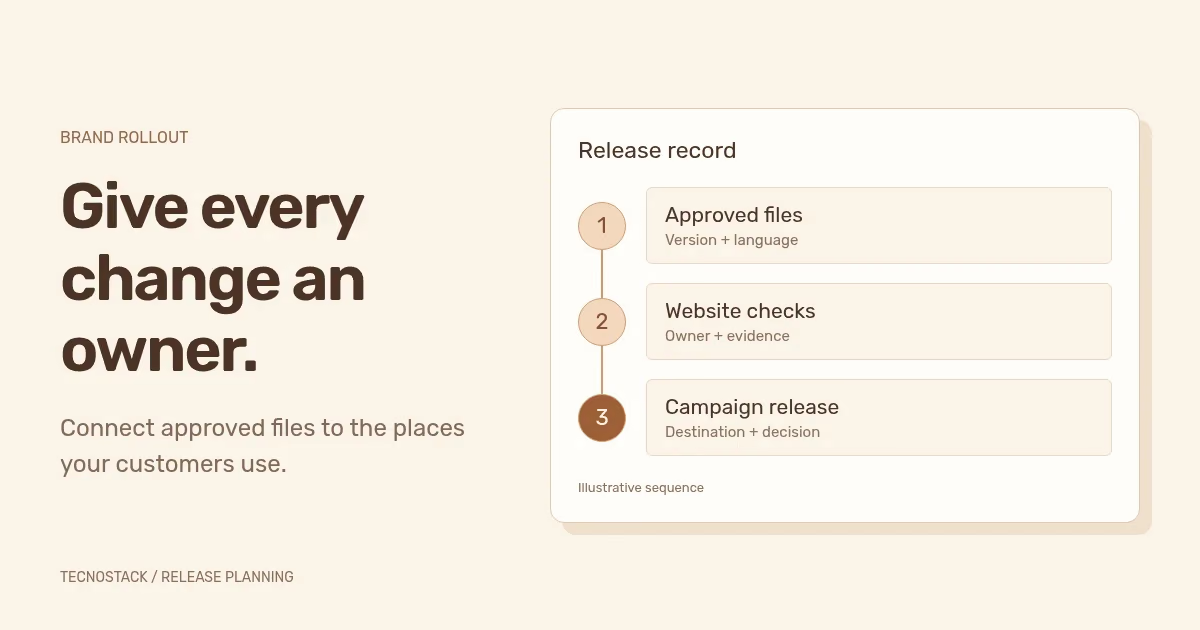
A rebranding rollout plan turns approved identity files into a sequence of owned, checked changes across the places customers and colleagues use. List each application, its Arabic and English versions, the approved asset, the person responsible and the evidence needed before publication. Release connected customer touchpoints together where practical, and give deferred work an explicit owner and date.
An approved logo does not update a saved sales proposal, a scheduled campaign or the confirmation email after an enquiry. Those applications belong to different people and systems. Your plan needs to show how the new identity reaches each one and how the team knows the change works.
This guide covers applying an approved visual identity. Naming decisions, changes to the legal business identity and a website domain move are separate workstreams. Do not let a visual launch silently commit the team to them.
Start with a short decision record: what changes, what stays and which applications are in scope. A typography and colour refresh may keep the name and logo. A wider identity project may change several approved logo arrangements while retaining the domain and every public URL.
Record the approved Arabic name, English name, logo variants, type choices and core messaging before production starts. If language arrangements are unresolved, use the bilingual identity planning guide to settle them. An application team should not have to invent a missing Arabic lock-up during launch week.
Freeze a named version for the release. That does not prevent later improvements; it gives reviewers a common reference. If a late decision changes a colour or name arrangement, identify every affected application and reopen its check rather than quietly replacing a file in the shared folder.
Walk through a customer task from first contact to the message after completion. For a service enquiry, that might include a social post, website page, form, confirmation email, booking page and proposal. For a store, it may include product pages, checkout and order messages.
Then inspect internal production tools: presentation masters, proposal templates, email signatures, shared image folders and supplier instructions. Ask colleagues to show the files they use today. An old template on a laptop can keep producing the old identity after the shared folder has been updated.
Use this record for each application. The examples illustrate the fields; they are not a fixed scope or a recommended deadline.
| Field | What to record | Example entry |
|---|---|---|
| Application | Exact page, template or account | Arabic enquiry confirmation email |
| Owner | Person who can implement and verify it | The named email administrator |
| Approved input | File version and language reference | Approved Arabic logo export and message copy |
| Dependency | What must be ready first | Tested form event and approved destination link |
| Acceptance evidence | What proves the application works | A received test email with a working link and readable layout |
| Release decision | Ready, blocked or scheduled, with reason | Blocked until the destination page is approved |
| Recovery | Previous working version and who restores it | Saved template revision held by the administrator |
Keep one shared record rather than separate launch lists that disagree. Owners can maintain their own working notes, but the release decision should point to the same approved version and evidence.
A campaign depends on its destination. A proposal template depends on approved content and usable fonts. A confirmation message depends on a working form and the correct follow-up link. Put these relationships in the plan before assigning publication dates.
Prepare the receiving teams first: give them approved assets, explain the changes and let them complete a real production task. The brand guidelines acceptance checklist provides a practical handover exercise. A link to a large folder is not evidence that a colleague can produce a correct proposal.
Next, stage the applications customers will encounter together. Keep an advert and its landing page consistent in naming, offer and language. If printed stock or a third-party profile will change later, record that exception and decide whether customers need an explanation. A phased visual rollout can be sensible without implying that every technical migration should use the same schedule.
Choose the launch window with the people who operate the affected systems. Confirm account access, review availability and the person who can decide to hold or restore a change. Avoid a deadline that relies on an unavailable account owner approving a new asset at the last minute.
Review the header and footer, mobile navigation, forms, error messages, downloadable documents and social-sharing previews. Check dark and light backgrounds where both are used. Load real Arabic and English text, including long headings and mixed numerals, rather than approving empty templates.
Test the customer task after applying the identity. Submit a test enquiry through an appropriate test route, inspect its confirmation and follow the next link. Review keyboard focus, text enlargement and small screens. Typography and colour changes need functional checks as well as visual approval.
Inspect less visible identity references too: page metadata, favicons, organisation details and the logo URL in structured data. Google's organisation guidance explains how relevant organisation data can help it understand a business and influence which logo appears in Search. Updating the data does not guarantee a particular search appearance. Google: Organisation structured data
Keep the domain and URLs when the project does not require changing them. If addresses do change, plan the migration separately. Google recommends separating major changes where practical and monitoring a move; use the redesign SEO checklist for retained, moved and removed pages. Google: Site moves with URL changes
The following example is hypothetical. A bilingual services business is applying an approved visual identity to its website, a campaign and its proposal template. It keeps its name, domain, prices and public URLs. This is not a TecnoStack client result or a package description.
| Application | Review finding | Release decision |
|---|---|---|
| Website enquiry path | Both languages display correctly and the test enquiry reaches its agreed destination | Ready, with test evidence linked |
| Campaign creative | Artwork is approved, but its Arabic link opens the English page | Hold the affected creative until the link is corrected and checked |
| Proposal template | The receiving colleague cannot edit the document with the supplied font setup | Resolve font access or the approved fallback before handover |
The point is to make the decision observable. “Looks good” cannot resolve a wrong language destination or an unusable template. Name the failed requirement, the person who will fix it and the evidence needed for another review.
Store the previous working versions before release. If a new form template fails, the team should know how to restore the working application without guessing which unrelated brand changes to reverse. Technical rollback and a later brand-design decision are different responsibilities.
After publication, repeat the agreed customer task on the live site and inspect the campaign destinations. Look for cached previews, old downloads and scheduled material that escaped the inventory. Record defects with a location and screenshot so the owner can reproduce them.
Archive superseded assets with clear labels and remove them from ordinary production folders. Keep records needed for history or support, while making the approved working version easy to find. Give new colleagues the same handover task and a named person to ask when an application is not covered.
Measure completion through the applications that passed their checks and the remaining exceptions. If you also compare enquiries or sales, account for changes in campaigns, offers and traffic; a before-and-after difference does not establish that the new identity caused it.
If the visual system still needs defining, start with brand identity design. If approved guidelines already exist and you need recurring campaign assets, review creative content production. Bring the application inventory so the proposal can distinguish identity design, implementation and ongoing production without repeating work already included elsewhere.


