
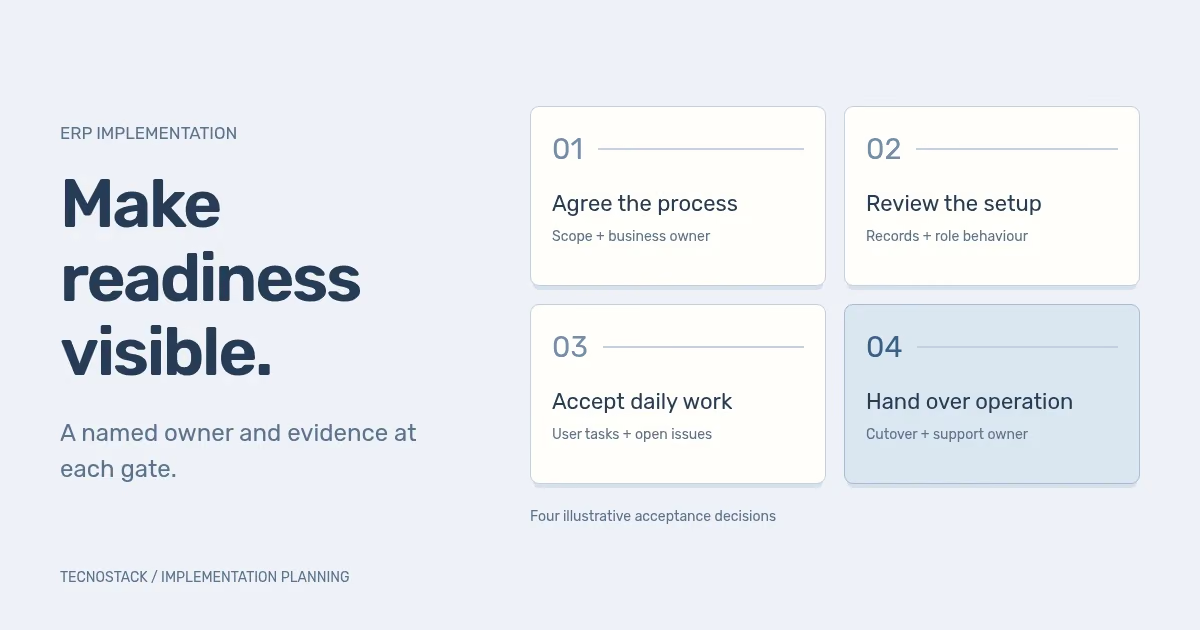
An ERP implementation roadmap should connect each stage to a business result, reviewable evidence and a named decision-maker. Dates matter, but a calendar does not prove that the system is ready. Plan the first process, test how people will use it, and agree who can authorise cutover and accept the operating handover.
The four gates below are a TecnoStack planning worksheet, not a vendor certification framework or a fixed delivery schedule. Adapt them to the selected platform, the processes in scope and the people responsible for running the business.
Describe the first process in one sentence. “The team can take a purchase from request through approval and receipt, with a traceable record” is easier to evaluate than “implement the purchasing module”. It identifies work that people must finish, while leaving room to investigate the actual product configuration.
Name the beginning and end of that release. Which teams, locations and record types are included? Which decisions remain in another system? Who receives the output? A limited release still needs a complete handover where it meets work outside the project.
If the platform choice remains open, use the CRM versus ERP guide to separate the workflows and records before making a product decision. If a product has already been purchased, verify the edition and modules against the proposed process rather than treating the purchase as proof of fit.
A gate is a decision point. It should have evidence the receiving people can inspect and an owner authorised to accept the remaining consequences. The worksheet gives each review a different purpose.
| Gate | Evidence to bring | Decision to record |
|---|---|---|
| 1. Agree the first process | Task map, boundaries, required records and unresolved fit questions | The business owner approves what the release must enable |
| 2. Prove the configured workflow | Representative records, role behaviour and a visible path through exceptions | The process owner accepts the design or names the changes needed |
| 3. Accept daily work | User-run scenarios, reconciled data and an issue list with owners | The receiving team confirms the agreed tasks can be completed |
| 4. Authorise the transition | Sequenced cutover, recovery decisions and an operating handover | Named authorities approve the move and accept support responsibility |
Do not use a green status to hide an unresolved decision. A gate can be ready, ready with explicitly accepted conditions, or not ready. Write the condition and its consequence in ordinary language, along with who approved it and when it must be revisited.
For example, postponing an optional report may be acceptable to the report owner. An unresolved permission that lets an unauthorised user approve a purchase needs a different decision. Both are open issues, but they do not carry the same operational consequence.
Walk through a recent representative task with the people doing the work. Record the starting event, required inputs, decisions, exceptions and final handover. Separate a rule that exists for a clear reason from a workaround created by the old system.
Name the business owner who settles process questions. The implementation team can explain configuration choices, but it should not invent approval authority or accounting treatment when the business has not decided them. Bring the responsible specialists into those decisions.
Turn fit questions into demonstrable tasks. “Supports approvals” is broad. “The requester cannot approve their own request under our agreed rule” is testable. Record the required behaviour before choosing between configuration, an extension or a change to the process.
Use the agreed process to create a small reference workflow. Include representative data and the roles needed to complete it. Keep the configuration decisions visible: which fields are required, when a status changes, which action is restricted and what a user sees when something is missing.
In a hypothetical purchasing release, the team might review the following scenarios. They are proposed acceptance tasks, not test results or universal purchasing controls.
| Scenario | What the reviewer should observe | Who needs to decide |
|---|---|---|
| A requester submits a complete request | The correct reviewer receives the agreed information | Purchasing process owner |
| The requester tries to approve it | The configured rule permits or rejects the action as specified | Owner of approval authority |
| A required supplier reference is missing | The record remains in an understandable state with a clear correction route | Data owner and receiving user |
| A receipt differs from the approved request | The agreed exception is recorded and routed for a decision | Operations and the responsible financial reviewer |
Ask the team to explain the result without relying on the supplier to narrate every click. If the user cannot tell whether a request is waiting for approval or has failed, clarify the status and next action before widening the release.
Test Arabic and English where those languages are required. Use the actual document types, names and search terms the team expects. A translated menu alone does not establish that the purchasing document or approval message meets the brief.
For a process crossing CRM and ERP, the integration ownership worksheet helps define who may change each field and what happens when an update fails. Include those handovers in the reference workflow.
The purpose of user acceptance is to establish that the agreed job can be done. Give nominated users their intended roles and representative records, then observe the tasks and exceptions. Include the receiving team across a handover, not only the person who starts the process.
Microsoft's Dynamics 365 go-live checklist calls for user acceptance using migrated data and correct security roles, signed-off test cycles, migration rehearsals and a documented cutover plan. Use the relevant vendor guidance as an input to your own acceptance decision. Microsoft go-live checklist
Keep each result tied to the task and the configuration version reviewed. Separate a defect in agreed behaviour from a request for additional work. Both deserve a response, but quietly expanding scope during acceptance makes the release difficult to assess.
Use the migration reconciliation worksheet for shared customer records where relevant, and define equivalent checks for the ERP record types in scope. Its CRM example is not an accounting reconciliation procedure. Financial balances and accounting rules need acceptance criteria set by the responsible specialists.
Write the cutover as an ordered set of actions with a responsible person and a verification step. Identify the last acceptable point for a go/no-go decision, the work that pauses, the final data change and the condition that authorises users to begin.
Discuss recovery before the change window. Returning to a prior application state may not reverse records already sent to another system or work completed by a person. Name how the team will identify and handle those consequences. The recovery decision needs both technical and business ownership.
Prepare the support handover alongside the implementation. The receiving team needs administrator access, configuration notes, known issues and a route for incidents. Agree what the supplier handles, what belongs to the software vendor and what the internal administrator owns.
Give support staff a representative incident to work through before acceptance. Can they identify the affected process, find the relevant record and reach the correct owner? A contact list is more useful when the team has demonstrated how to use it.
List the dependencies behind each gate: source access, process decisions, test data, external connections and reviewer availability. Put an owner and a required date beside each. When a dependency slips, show which decision or activity it affects instead of moving only the final launch date.
Reserve time for corrections and another review. A demonstration, an acceptance session and a cutover are different activities. Placing them on consecutive days does not remove the work discovered in the first session.
Bring the first process, available systems, data sources and acceptance owners to a CRM and ERP scope review. TecnoStack confirms platform fit and the included configuration, migration, integration and handover work before proposing an implementation. The roadmap should make that scope easier for your team to review and operate.


