
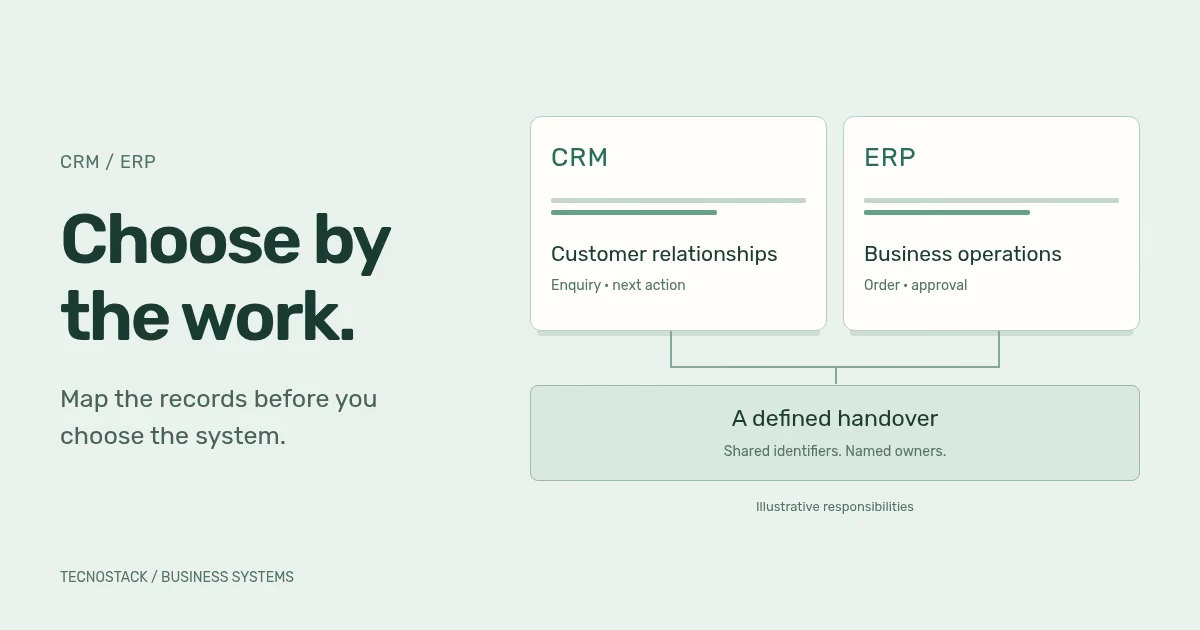
CRM usually supports customer relationships and sales or service activity; ERP usually connects operational and financial processes. Choose by the tasks, records and approvals your team needs. Products can overlap, and a business may need one system, connected systems or a better configuration of the tools it already uses.
The useful starting question is specific: where does the work become difficult? A missed sales follow-up, an order with the wrong delivery address and a stock figure nobody trusts are different problems. Calling all three “a need for better software” hides the decisions a supplier must help you make.
CRM stands for customer relationship management. Salesforce describes it around interactions with customers and prospective customers. ERP stands for enterprise resource planning. Oracle describes activities including accounting, procurement, project management and supply-chain operations. These vendor descriptions explain the broad categories; they do not establish the features included in a particular licence. Salesforce CRM overview, Oracle ERP overview
Start with your own process rather than a long feature comparison. The following is a planning table, not a claim about every product in either category.
| Work that needs attention | Record to inspect | What to evaluate first |
|---|---|---|
| Enquiries are not followed up | Enquiry, assigned colleague and next action | CRM workflow, ownership and reminders |
| Sales cannot explain an opportunity's status | Opportunity, activity history and agreed stage | CRM stages, required evidence and reporting |
| Orders reach operations with missing information | Approved order and its required fields | Handover rules and the connection between systems |
| Purchasing and stock records disagree | Purchase, receipt and inventory movement | Relevant ERP processes and their controls |
| Teams maintain conflicting customer details | Customer identifiers and individual fields | Field ownership, permissions and integration |
| People use spreadsheets despite an installed platform | The task they cannot finish in the system | Configuration, usability, training or a genuine capability gap |
The last row matters. Replacing software before observing the task can reproduce the same problem in a new interface. Ask a colleague to show the exact point where they leave the current system and explain why.
Consider a hypothetical equipment supplier. Sales records an enquiry and agrees the customer's requirements. Operations needs an approved order before arranging fulfilment. Finance maintains the billing account. This is an illustrative business, not a TecnoStack client or a recommended configuration for every supplier.
The team could use the following handover map to evaluate a candidate solution. CRM and ERP are roles in this example; the selected product may provide both in one platform.
| Step | Proposed owner in this example | Evidence needed before the next step |
|---|---|---|
| Record the enquiry | Sales colleague using CRM | Named contact, customer organisation and next action |
| Approve the commercial request | Authorised sales reviewer | Agreed items, quantities and approval record |
| Create the operational order | Operations using ERP | Unique source reference, accepted line items and delivery details |
| Maintain the billing account | Finance using ERP | Approved account details and a reference the other system can read |
| Report the order's progress | Operations updates the status; sales reads it | Status definition, last update and a route for exceptions |
Now test an awkward case. The customer changes the delivery address after the order has been approved. Who may change it, which system records the decision, and how does the receiving team learn about it? A polished demonstration that shows only a new enquiry becoming an order will not answer that question.
Also test an incomplete handover. If the order cannot be created, the sales record should not quietly imply that operations has accepted it. Ask the supplier to show the pending or failed state and the person responsible for resolving it.
“One customer record” sounds simple until teams use it for different purposes. Sales may need a preferred contact name; finance may need the approved billing entity; operations may need an order-specific delivery address. Treating these as one editable text field creates an unclear responsibility.
Write a short field record for each shared item: its purpose, its authoritative source, who can change it, where it is displayed and what should happen when the values disagree. Microsoft similarly advises recording data owners, systems and flows during solution design. That principle is useful beyond a particular vendor's implementation. Microsoft data architecture guidance
An identifier connects records; it does not resolve every business decision. In the hypothetical supplier, the CRM account reference and ERP customer reference need a maintained mapping. A change to the billing entity may still need a human decision even when both references are valid.
Ask suppliers to demonstrate the same process in each candidate setup. A broad suite can be suitable when its included modules support the work and the receiving team can operate them. Separate products can be suitable when they meet distinct needs and their connection has clear responsibilities. Neither arrangement is automatically simpler for your organisation.
For a combined platform, inspect the handover between modules, role permissions and reporting definitions. Sharing a product name does not prove that every screen uses the same rules. For connected products, inspect the identifiers, timing, error handling and the features available in your proposed editions.
Request an operating-cost view that separates licences, implementation, migration, integrations, training and ongoing support. Ask who owns administrator access, renewals and future changes. Compare the same requirements and time horizon; an initial subscription fee alone is not the cost of an implemented workflow.
If the requirement seems to need substantial custom development, use the SaaS versus custom software framework to examine fit, ownership and exit. A custom extension should have a specific job and a maintenance owner, rather than becoming the default answer to every configuration question.
Prepare a small, non-sensitive example that includes a normal record and an exception. Include realistic Arabic and English names, an international telephone number, the fields colleagues need to search and the document they must produce. These are your acceptance examples, not real customer records to circulate casually.
Ask a nominated user to perform the task with the role they will actually have. Check what they can see, what they can change and whether a rejected action gives them a useful next step. Have the team explain the result in its own words before accepting the demonstration.
Record each finding as supported, requires configuration, requires additional work or unresolved. Add the proposed edition and the evidence beside it. This makes uncertainty visible without pretending that every unanswered question is a product defect.
Before choosing the next engagement, capture five items: the first workflow, its business owner, the records involved, the unresolved fit questions and the acceptance task. Name what remains outside that first release. This is more useful than a request for “a complete CRM and ERP solution” with no boundaries.
For an existing system, consider a bounded change before a wholesale replacement. The legacy modernisation guide explains how to reason about a staged transition. Its architecture decisions need to be adapted to the actual platform and process.
When the destination is agreed, use the CRM data migration checklist to map records and reconcile a trial import. Choosing the platform and accepting the transferred data are separate decisions.
Bring that brief to the CRM and ERP implementation service. TecnoStack reviews platform fit and the proposed discovery, configuration, migration or integration work before quoting. Existing connector inclusions in other published service plans remain in place; overlapping work should be identified during the scope review.


