
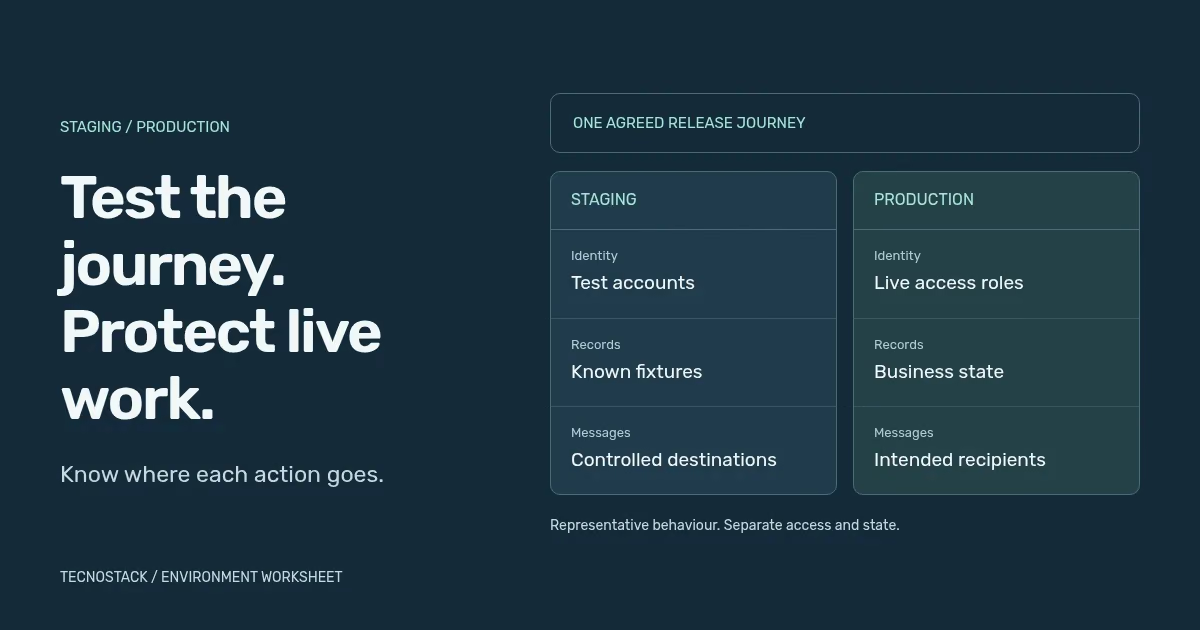
Staging is a controlled environment for checking a release before it reaches real users. Production is where the live service operates. Make staging representative enough to test the intended behaviour, while separating its records, credentials and external effects from live business activity. A different URL or branch does not create that separation by itself.
Begin with the journey you need to verify. A booking test might create a record, enqueue a notification and receive a payment-provider callback. If only the web page points to staging while the worker still reads a production queue, the environment boundary is incomplete. Trace the whole journey before calling it a safe test.
Local development supports fast iteration. Automated CI environments run defined checks against known inputs. Staging supports release review and integration checks using an agreed candidate. Production serves the live workload. These purposes can use different infrastructure, but each needs a clear owner, configuration and data boundary.
Not every small application needs a permanent duplicate of every production resource. A temporary preview or provider-supported test environment may cover a defined review. Write down what it can establish: a layout preview may say little about background jobs, a real identity provider or the database migration required for launch.
Keep the candidate identifiable. The CI/CD guide provides a release record connecting source, build, checks and deployment. DORA's deployment-automation guidance recommends consistency in the deployment process. Where environment values are embedded at build time, record the resulting difference and check the actual production candidate as well.
Use this original worksheet to map the environment. The middle column describes behaviour worth representing; the final column identifies a boundary to implement and verify. Similar behaviour does not require sharing the same live credentials or business records.
| Area | Behaviour to represent | Boundary to verify |
|---|---|---|
| Application | Relevant runtime, dependencies and release steps | Exact candidate and environment configuration identified |
| Identity | Sign-in, roles and forbidden actions | Test identities with no unintended production authority |
| Database | Required schema and representative record cases | Separate test state and reviewed access |
| Files and cache | Upload, retrieval and invalidation behaviour | Test storage and keys cannot overwrite live content |
| Background work | Queue, retry and scheduled-task behaviour | Workers consume the intended environment's jobs |
| Payments | Supported success, failure and callback paths | Provider test credentials and test endpoints |
| Notifications | Template, recipient and retry handling | Controlled destinations; no real customer messages |
| Analytics | Relevant event and diagnostic behaviour | Test activity separated from live reporting |
| Access and search | Reviewer access and intended visibility | Private access controls and correct indexing settings |
| Operation and cost | Logs, alerts, cleanup and ownership | Named recipients, resource owner and usage limits |
The appropriate infrastructure boundary depends on the host and application. AWS's multi-account guidance recommends separate accounts for production and development/test workloads. Other platforms expose different project and environment controls. Verify the real permissions and shared resources rather than assuming an environment label has the same meaning everywhere.
Record intentional differences such as smaller capacity, a stubbed integration or disabled scheduled jobs. Each difference limits the conclusion you can draw. A low-volume test on a smaller server may establish a workflow result; it does not establish production capacity or identical latency under load.
Start with fixtures that exercise the decision: an ordinary record, a missing optional field, an expired permission, a repeated request and a failed dependency. Include the languages, text lengths, dates and roles the service supports. Arabic labels and mixed-direction identifiers should appear in the actual user journey, not only on a separate translation checklist.
Use synthetic or appropriately prepared data where it meets the need. Copying a complete customer database into a more widely accessible review environment creates additional access and handling work. If real data is necessary, agree the purpose, permitted users, preparation and retention before using it. Keep sensitive values out of broadly shared test logs and screenshots.
Make reset behaviour explicit. A test that passes only because yesterday's record remains in the database can hide a missing setup step. Define the starting fixture, expected records afterwards and safe cleanup procedure. The cleanup should identify the test's own records and environment rather than run a broad deletion against a loosely checked connection.
Read the selected provider's current testing documentation. Stripe's testing overview, for example, describes sandboxes and test credentials that simulate payment scenarios without moving real money. It recommends general sandboxes for new integrations where supported. This is an example of a provider boundary, not a recommendation about merchant eligibility or the right payment provider for a market.
Check which Stripe environment the team is using. Its testing-use-case guide says the test-mode sandbox can share Dashboard settings with live mode; changing those settings may affect the live account. General sandboxes isolate their settings and data. Record the sandbox type alongside its credentials and object references before editing configuration.
Confirm that the application's callbacks, keys and stored object references all belong to the intended test environment. A simulated payment exercises defined test behaviour; it cannot prove every live settlement, operational or account-specific condition. Record any unsupported scenario and how the team will verify the remaining launch requirement.
Email testing illustrates another limit. SendGrid sandbox mode validates a request without delivering mail or generating delivery events. It also does not validate the content of a referenced template. A successful sandbox response therefore cannot prove inbox delivery or correct template rendering. Separate request validation from any authorised delivery test to controlled recipients.
Consider an invented booking application. The proposed acceptance task uses a test account, a fixture booking and the provider's supported test setup. The table below is an original test record: it states both the result you want and the live effect the environment must prevent. It is not a report of a real deployment.
| Step | Expected test result | Boundary check |
|---|---|---|
| Identify the candidate | Page and worker reference the agreed release | No unknown mixture of builds or configuration |
| Submit a booking | One fixture record is created with the right owner | No production booking record is written |
| Exercise provider failure | The application shows the defined recoverable state | No live charge or false completion confirmation |
| Process notification | The controlled destination receives the intended test output | No customer recipient or production notification queue |
| Retry the operation | The agreed duplicate-handling behaviour is observed | No repeated unintended booking or message |
| Reset and review | Fixture cleanup and test evidence are recorded | Live records and business reporting remain unchanged |
Add the failure paths the application actually supports, and record whether an external step was simulated, stubbed or executed through a provider test environment. A stub returning success can help test local behaviour, but it does not establish that the real integration contract still works.
Give a second maintainer the record and ask them to identify the evidence. If the result depends on an unrecorded dashboard setting, update the environment definition. Include workers and schedules in that review; they can remain active after a browser test ends.
Protect private staging with appropriate access controls. Google's robots.txt guidance explains that crawling rules are not a reliable way to hide a page from search. They also do not stop a person with the URL from accessing an otherwise public page.
For public pages intended to stay out of search, noindex must be readable by the crawler. Do not make private content publicly accessible simply to expose that instruction. At release, verify the production host's actual headers, page directives and access behaviour so a staging restriction does not accidentally hide the live website.
Review the live configuration, integration endpoints, access and relevant jobs, then run the agreed safe verification. Azure's deployment guidance connects rollout to health observation and recovery. Use the rollback plan to make the next decision available if the important journey fails.
Assign ongoing ownership for environment drift, expired credentials, fixture refresh, resource costs and cleanup. A payment sandbox does not make the surrounding hosting resources free. Bring the boundary worksheet and an actual release journey to a DevOps environment review, after checking the staging and operating work already included in your existing service scope.
Use the DevOps and managed-hosting comparison to assign the environment tasks and check which ones your current agreement already covers.


