
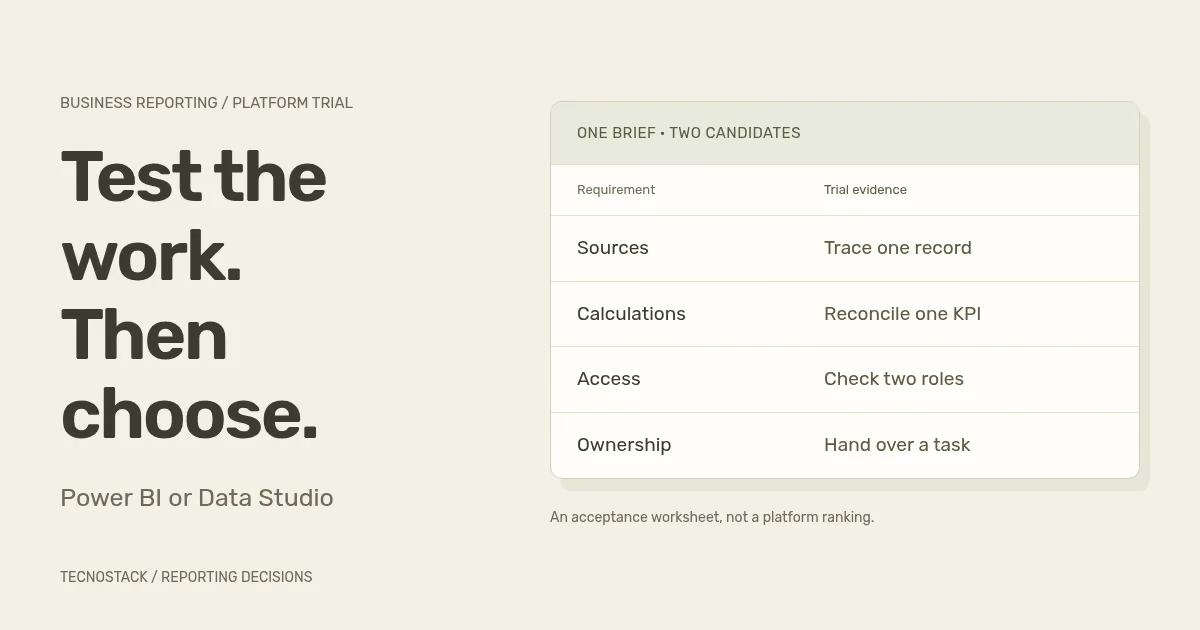
Choose between Power BI and Data Studio by testing the reporting task, the data model, the people who need access and the way the report will operate after launch. A familiar chart style or a free editor does not settle those questions. Start with one important report and use the same acceptance tasks for both candidates.
If you searched for “Power BI vs Looker Studio”, the product name has changed. Google returned Looker Studio to the Data Studio name in April 2026. This guide compares Power BI with that reporting product. Google's separate Looker platform has its own modelling and governance capabilities; do not transfer those capabilities to Data Studio because the earlier names overlap.
Write the decision, audience and measure before listing features. A campaign overview using prepared sources has different needs from an operational report that reconciles orders, returns and branch permissions. Both may display bar charts, but the preparation, calculation and access work can be very different.
The dashboard requirements worksheet helps define the record grain, denominator, period and exclusions. Bring that definition into the comparison. Otherwise, each prototype may implement a different meaning of the same KPI and appear to agree merely because its totals look plausible.
Inventory the data your team can actually access. Record the supported connection, required edition, credential owner and any paid connector. The existence of a connector in a catalogue does not establish that it exposes the exact fields, history or refresh behaviour your report needs.
Power BI supports semantic models with relationships and measures. Microsoft's star-schema guidance explains how model design separates entities used for filtering from observations being summarised. This can suit a team that needs an explicit model behind several related business measures, provided someone can design, test and maintain it.
That modelling capability does not repair source data by itself. Microsoft's relationship documentation states that model relationships do not enforce data integrity. Test missing keys, duplicated records, filter paths and the unit being counted. A diagram of connected tables is not acceptance evidence for the resulting totals.
Data Studio can connect to prepared data and combine sources through blends and calculated fields. Its current blend editor supports join configuration; it is inaccurate to say every blend is restricted to a left join. Check where a calculation belongs and how filters, dates and joins affect its result. For complex shared rules, assess whether preparation should happen in a maintained upstream dataset.
This is an architectural choice, not a contest over which tool can draw more charts. A well-prepared source can make either reporting layer easier to operate. Repeating business rules across many individual reports creates a maintenance question that should be resolved in the brief.
Use this comparison as a set of questions to verify, rather than a score awarded to a brand. The right-hand column is the evidence your own trial should produce. Current licensing and connector support should be checked for the proposed configuration.
| Decision | Power BI review | Data Studio review | Evidence to retain |
|---|---|---|---|
| Data preparation | Inspect Power Query, source access and semantic-model design | Inspect source preparation, connectors, blends and calculated fields | A documented path from source records to the agreed measure |
| Distribution | Confirm creator/viewer licences and workspace capacity | Confirm sharing, no-cost or Pro content, and connector costs | A permitted recipient opens the intended report |
| Access | Test model security and actual workspace roles | Test report sharing and source credential mode | Each role sees and exports only its agreed data |
| Freshness | Check storage mode, refresh, credentials and any gateway | Check connector freshness, cached results and upstream updates | A known source change appears under the stated timing rule |
| Ownership | Name report, model, workspace and connection owners | Name content, project and credential owners | A handover plan covers a departing maintainer |
| Use and maintenance | Test the required report tasks and the team's skills | Test the same tasks and operating skills | Users complete the task and a maintainer diagnoses a failure |
Microsoft's licence guidance distinguishes free, Pro and Premium Per User (PPU) licences from capacity. In ordinary Pro sharing, recipients need the relevant paid access; PPU workspace content requires PPU access. Eligible capacity, including Fabric F64 or above, can allow free users to consume shared content. PPU is not the same as buying that capacity.
Confirm the intended workspace, authors and recipients together. Include the actual users and any external-sharing requirements in the quote. Do not use “Power BI is free” or “every reader must buy Pro” as a universal procurement rule, and do not assume an existing Microsoft subscription includes every required capability.
Google offers a no-cost Data Studio product and a Pro edition. Its Pro content documentation distinguishes individually owned standard content from organisation-owned Pro assets and team workspaces. Consider continuity when a creator leaves. Organisation ownership does not remove the need to maintain source credentials, licences and access.
Compare the full operating cost: connector subscriptions, data preparation, source access, query usage, capacity or user licences where required, and support. Use current vendor quotes for the actual configuration, and record which costs change with more viewers, more sources or a shorter refresh interval.
Power BI row-level security applies to workspace Viewers; it does not constrain workspace Admins, Members or Contributors in the same way. Test the intended role, not only the developer's account. Document who may edit the model, share the report or export data alongside the viewing rules.
Data Studio owner and viewer credentials answer different access questions. Owner credentials can expose report data to a viewer who has no direct access to the underlying source. Viewer credentials rely on that viewer's source access. Choose deliberately and test the actual data source; available credential options have platform-specific requirements.
For freshness, distinguish an imported dataset from a query to a source. Microsoft's scheduled-refresh guidance covers credentials, gateways and scheduling; DirectQuery and live connections handle most source data differently from an import refresh. A refresh schedule alone is not a promise that every operational event appears instantly.
Data Studio's freshness settings govern reuse of stored query results and retrieval from the underlying dataset. Options vary by connector. Upstream processing and source delays still matter, so test a known change and a failed connection rather than equating a report's refresh control with a complete data pipeline.
Run a bounded trial with approved representative data. This original acceptance card keeps the comparison tied to your work. Record the configuration, role and evidence for each candidate, including any additional preparation it required.
| Trial task | Acceptance evidence |
|---|---|
| Reproduce one agreed KPI | Source records, formula, filters and result reconcile |
| Investigate one exception | The user reaches the permitted supporting detail |
| Exercise two access roles | Each role's visible and exported data matches the requirement |
| Observe a source update and failure | Expected delay and failure behaviour are documented |
| Review Arabic and English output | Labels, identifiers, dates, navigation and required exports remain understandable |
| Hand over one maintenance task | A named maintainer can update a definition or diagnose the agreed failure |
For a hypothetical marketing team with prepared campaign datasets and straightforward sharing needs, Data Studio is a candidate to test. For a hypothetical operations team needing maintained relationships across orders and returns, with carefully defined branch access, Power BI is a candidate to test. These are starting hypotheses, not customer results or rules that prevent either tool from supporting other designs.
Before accepting a prototype, use the dashboard data-quality checklist to inspect missing records, repeated joins and stale results. Choose from the trial evidence and operating responsibilities. Bring the report brief, source inventory, intended users and current licences to our business dashboards and reporting service. We can scope the comparison and implementation around those requirements, after checking what your existing dashboard plans already include.


