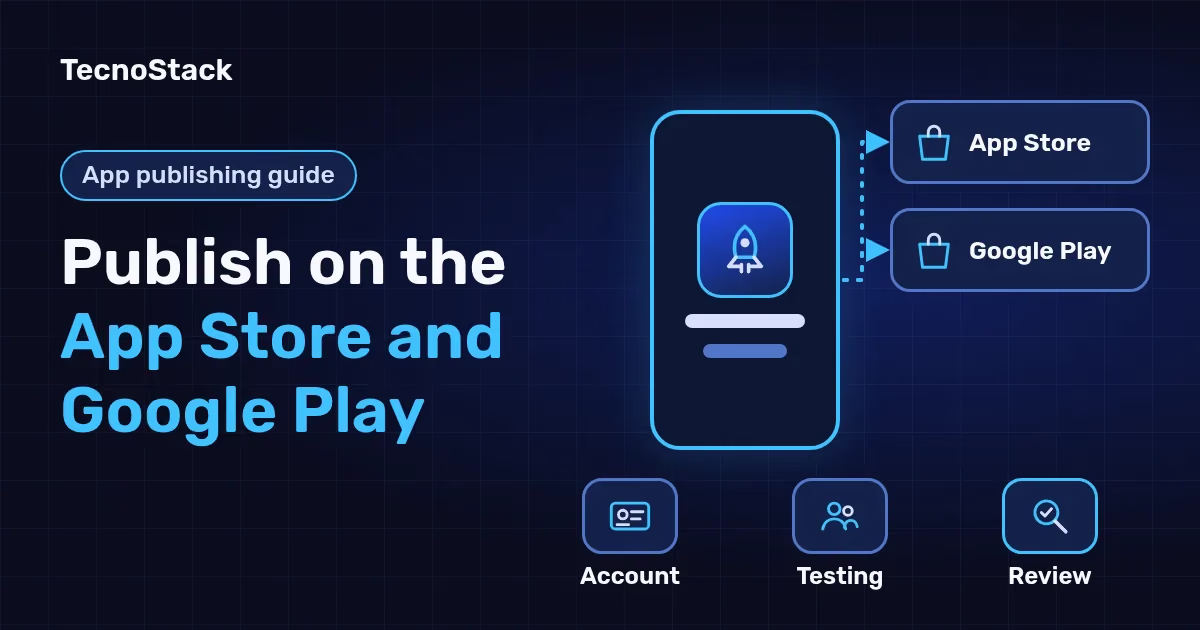
To publish an app on the App Store and Google Play from Saudi Arabia, start with two developer accounts in your business's name: the Apple Developer Program at USD 99 per membership year and Google Play Console at a one-time USD 25. A company also needs a free D-U-N-S number. Then come testing, a complete store listing and each store's review.
This guide is for business owners whose app is finished or nearly finished and who want to know what publishing involves and how long it takes. We checked Apple's developer pages and the Play Console Help Center on 28 October 2026, and the fees and timings below are correct as of October 2026.
Apple and Google differ in the details, but the basic requirements line up. This table collects what each store asks for as of October 2026:
| Requirement | App Store (Apple) | Google Play |
|---|---|---|
| Developer account | Apple Developer Program membership | Play Console account |
| Fee | USD 99 per membership year, shown in local currency during enrolment where available | USD 25, once |
| Organisation account | Legal entity, D-U-N-S number and a working website on the company's domain | D-U-N-S number, with company details from the linked Google payments profile |
| Testing before release | TestFlight; the first build shared with external testers needs Apple's review | Closed test required for new personal accounts |
| Privacy | Privacy policy link and App Privacy details | Privacy policy link and Data safety form |
| Account deletion | In the app, if the app lets people create an account | In the app and through a web link, if the app lets people create an account |
| Review time | 90% of submissions in under 48 hours | Up to seven days or longer for some accounts |
The account type is the first decision, because it sets the name shown under your app. Apple's enrolment page says an individual's personal name appears as the seller, while an organisation's name appears when the company enrols. Apple requires the organisation to be a legal entity that can sign contracts with it, and does not accept trade names, DBAs or branches.
For an organisation account, Apple also checks:
- That the person enrolling has legal authority to bind the company, such as the owner, an executive or an authorised employee.
- A work email address on the company's domain.
- A public, working website on a domain associated with the company. Social media pages are not accepted in its place.
At Google, the page on choosing a developer account type describes personal accounts as being for students and hobbyists, and makes an organisation account mandatory for categories that include financial products, health apps and government apps. New personal accounts also face a testing rule, covered below.
For a business app, register both accounts in the company's name with its official email, then add your developers as users with defined permissions. The app and its ratings then stay with you if you change development partners.
D-U-N-S number: how do you get one, and how long does it take?
A D-U-N-S number is a nine-digit identifier issued by Dun & Bradstreet, and both stores use it to verify a company's identity and address. It is free, and Google warns about third parties that charge fees for the registration. Search for your company first, because it may already have a number.
The two stores publish different lead times, so plan for the longer one:
- Apple's D-U-N-S page says the number can take up to 5 business days to arrive, followed by up to 2 business days for Apple to receive your details.
- Google's developer account information page says the process can take up to 30 days, and you cannot create an organisation account without it.
Enter the company name and address on the D-U-N-S request exactly as they appear on your commercial registration, and use the same details in both store accounts and the payments profile. Both stores verify the company's identity and address against them.
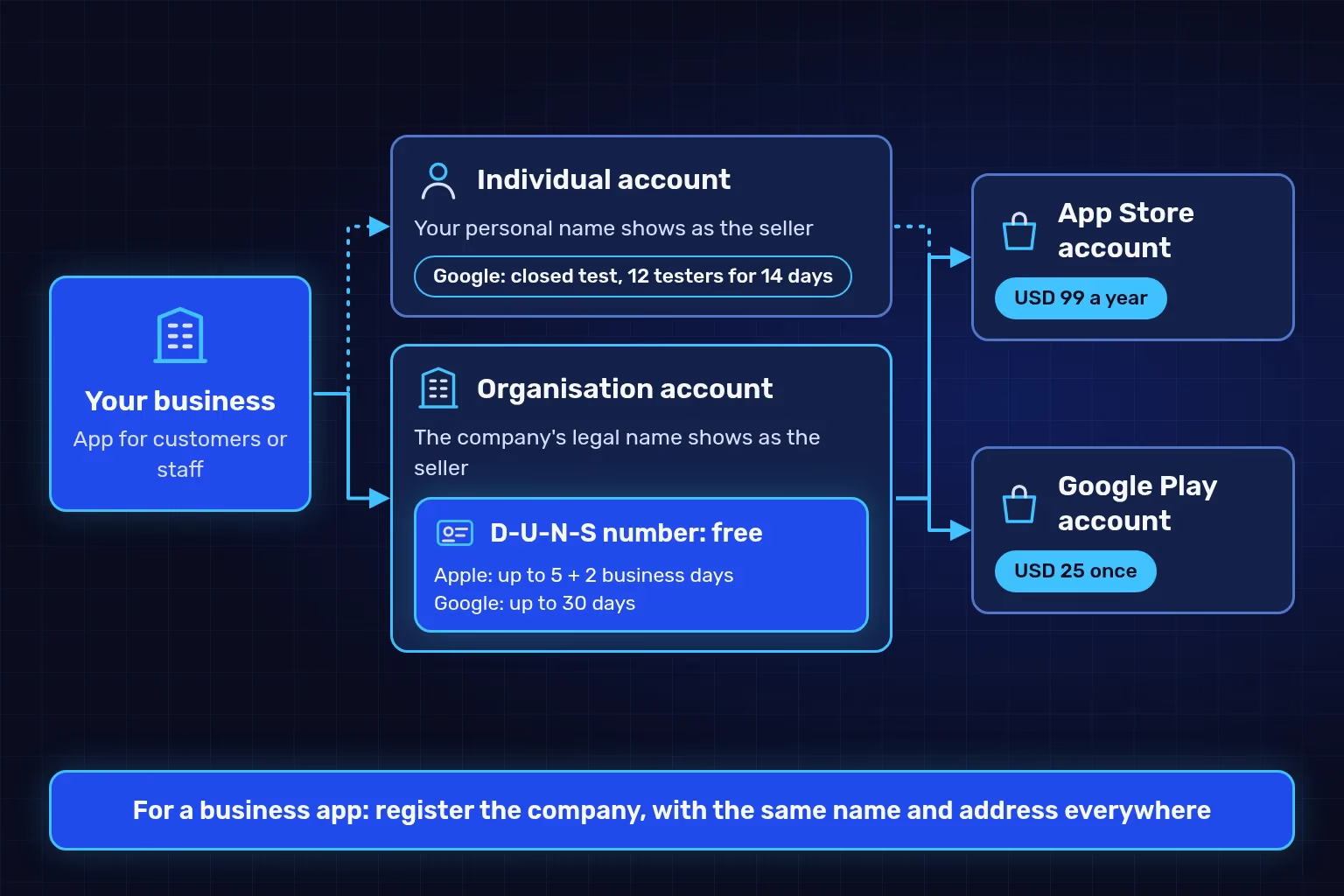
Illustration of the two account routes as Apple and Google describe them in October 2026. The fees and timings are the ones the stores publish, not a promised approval date.
The store fees are small next to the cost of building the app, but one of them recurs every year:
| Item | Amount as of October 2026 | Notes |
|---|---|---|
| Apple Developer Program | USD 99 a year | Shown in local currency during enrolment where available; renewed each year |
| Google Play Console account | USD 25, once | Google does not accept prepaid cards |
| D-U-N-S number | Free | Directly from Dun & Bradstreet |
| Builds and store listing | Your development team's time | Screenshots and copy in both languages, plus responses to review feedback |
If your app sells goods or services used outside the app, such as store orders, deliveries or appointments, payment goes through something other than in-app purchase. Guideline 3.1.3(e) in Apple's App Review Guidelines points to methods such as Apple Pay or card entry. Google Play's payments policy says its billing system does not support physical goods or physical services such as food delivery. You will therefore need a gateway that accepts mada and Apple Pay and a merchant account approved by the payment provider.
The cost of building the app depends on screens and integrations, which we break down in our guide to budgeting the app build from idea to launch.
Testing before release catches the crashes reviewers reject apps for, and gives you feedback from real users before launch.
Apple: TestFlight
Apple's TestFlight page allows up to 100 internal testers from your team and up to 10,000 external testers. The first build you share with external testers needs approval from App Review; later builds go to review automatically when you add them to a testing group.
Google: internal testing, then closed testing
Play Console starts with internal testing for a small trusted group, and builds usually reach testers within seconds. The rule that matters for personal accounts is on the testing requirements page for personal accounts: accounts created after 13 November 2023 must run a closed test with at least 12 testers who stay opted in for 14 continuous days before applying for production access.
That rule alone adds at least two weeks to the launch plan of a personal account. It applies only to personal accounts; an organisation account needs the D-U-N-S number described above.
Recruit testers from your real audience and give them specific tasks: sign up, complete an order, switch the app to Arabic and back. Our plan for testing with real users before launch helps you write those tasks and record what testers notice.
Prepare these items before you submit for review:
- Privacy policy: a public link in the store metadata and an easily accessible link inside the app, as guideline 5.1.1 in Apple's guidelines requires. Make sure the text also meets Saudi PDPL rules for forms and privacy notices.
- Data disclosure: App Privacy details in App Store Connect and the Data safety form in Play Console. Google requires the form from every app, even one that collects no data, and it covers data collected by third-party libraries inside your app.
- Account deletion: if people can create an account in the app, they must be able to delete it there. Google Play's account deletion requirement also asks for a web link where users can request deletion.
- Screenshots: Apple requires at least one and allows up to 10 per device size under its screenshot specifications, plus the 13-inch iPad size if the app runs on iPad.
- Name: App Store app names are limited to 30 characters, with no keyword stuffing or prices.
- Arabic metadata: the App Store's default language in Saudi Arabia is English (U.K.), with Arabic as an additional supported language, according to Apple's App Store localizations table. Add an Arabic name, description and screenshots. Google Play shows the translations you add to users whose language matches.
- Demo account for the reviewer: if the app requires sign-in, give the reviewer a working username and password, and keep your backend running during review.
Apple's App Review page says it typically reviews 50% of submissions in under 24 hours and 90% in under 48 hours. Google's page on publishing status says reviews for certain developer accounts can take up to seven days, or longer in exceptional cases. Allow at least a week between submission and any launch date you announce.
Apple says that, on average, more than 40% of unresolved issues relate to guideline 2.1, App Completeness: crashes, placeholder content and incomplete information. Other causes recur in the guidelines:
| Rejection or delay cause | Store | How to avoid it |
|---|---|---|
| Crashes, placeholder text or broken links | Apple (guideline 2.1) | Test the final build on a real device before submitting |
| No demo account for the reviewer | Apple (guideline 2.1) | Add sign-in details in the App Review Information section |
| App is little more than a repackaged website | Apple (guideline 4.2) | Add features customers use inside the app |
| Missing privacy policy or data disclosure | Both | Complete both before submitting |
| Accounts cannot be deleted | Both | Add a deletion option inside the app |
| Outdated build tools or target API level | Both | Build with the tools each store currently requires |
Tooling requirements change every year. Since 28 April 2026, apps uploaded to App Store Connect must be built with Xcode 26 or later and the iOS 26 SDK, according to Apple's upcoming requirements page. On Google's side, the target API level requirements say new apps and updates must target Android 16 (API level 36) from 31 August 2026, with extensions available on request until 1 November 2026. This is why keeping the app updated after it goes live belongs in the first-year budget.
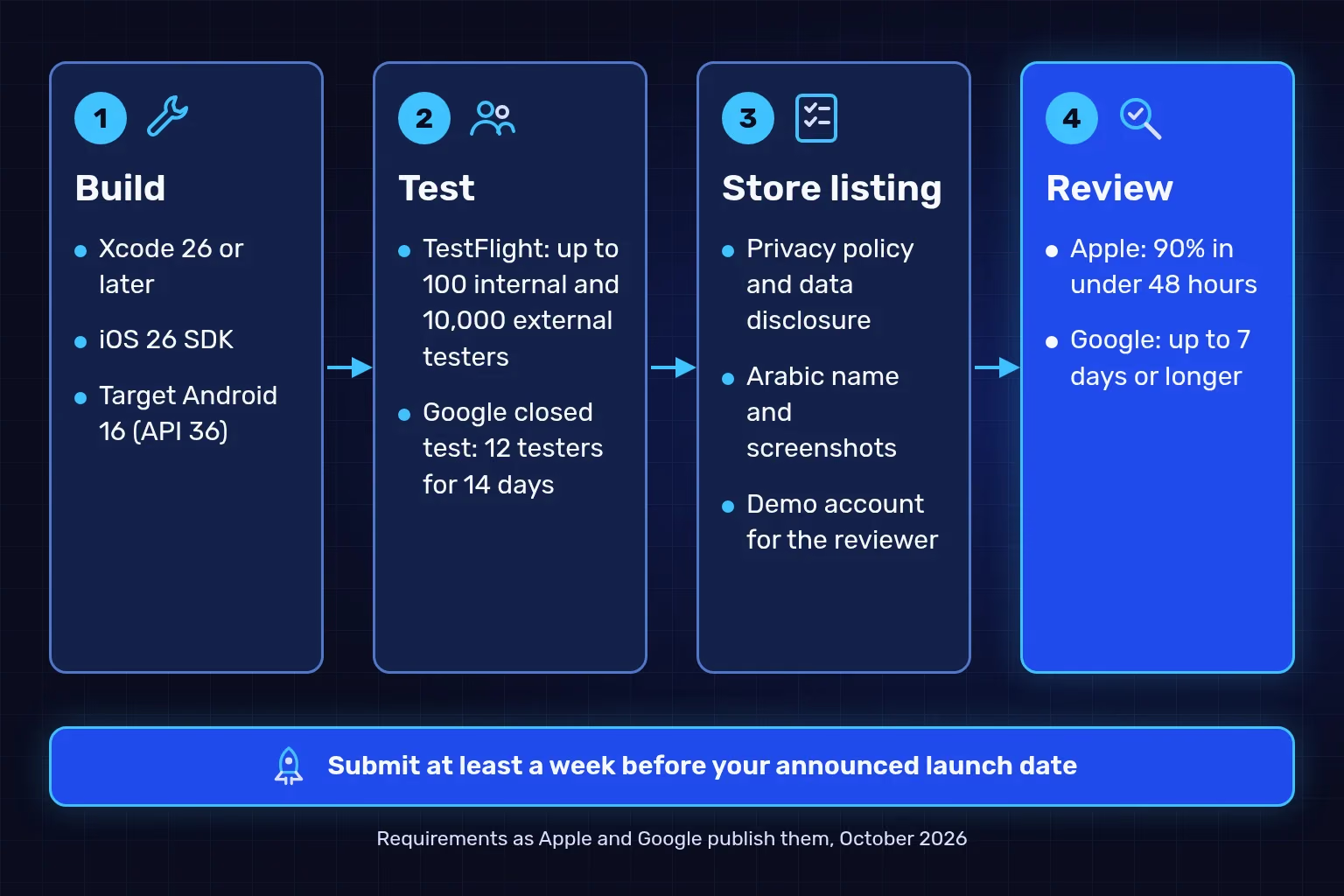
Illustration of the publishing stages as Apple and Google describe them in October 2026. The timings are the stores' published figures and do not guarantee when a particular app is approved.
We submit the app to both stores on every mobile app plan, using your own developer accounts. We prepare the builds, screenshots, listing text and keywords, and help you verify the developer accounts and the D-U-N-S number. That help covers preparation only, because eligibility and approval are each store's decision.
| Plan | From (SAR) | Screens | Testing before release |
|---|---|---|---|
| Focused app | 20,000 | Up to 10 screens | Testing on up to 4 agreed devices, then submission to both stores |
| Cross-platform app | 40,000 | Up to 25 screens in Arabic and English | Testing on up to 6 agreed devices, then submission to both stores |
| Connected product | 70,000 | Up to 25 bilingual screens | An acceptance test plan of up to 60 cases, with separate test and live environments |
Prices are starting points in Saudi riyals, before VAT where it applies, and your proposal confirms the final scope and price. Store developer accounts, hosting and payment provider fees are separate, the app is published under your accounts, and you receive the source code. Each plan is detailed on our mobile app development page, which covers how we develop and submit your mobile app for you.
Five steps that save weeks of waiting:
- Choose the account type, and register the company if the app serves a business.
- Look up your company's D-U-N-S number or request it today, because it can take up to 30 days.
- Publish a privacy policy on your website and prepare the data disclosure for each store.
- Distribute a test build through TestFlight and Google's internal or closed testing, and collect feedback.
- Prepare the listing in both languages and a demo account for the reviewer, then submit at least a week before launch.
If you want us to check whether your app is ready to publish, send us a description of your app and the state of your developer accounts and we will tell you what is missing before you submit.
We checked Apple's developer pages (enrolment, D-U-N-S, TestFlight, App Review, the App Review Guidelines, upcoming requirements, App Store localizations and screenshot specifications) and the Play Console Help Center on 28 October 2026; they may change. TecnoStack prices are the starting prices on our mobile app development service page on that date.