Local SEO in Saudi Arabia starts with a free Google Business Profile that you verify as yours, followed by complete details that match the real world: your name as it appears on the sign, your address or service area, your opening hours and the most precise category for what you do. After that come genuine reviews with replies, and a website that confirms the same details. Google says local results are mainly based on relevance, distance and prominence, and that there is no way to pay for a better local ranking.
This guide is for shops, clinics, offices and multi-branch companies in Saudi Arabia, and for anyone who wants to understand the work before handing it to someone else.
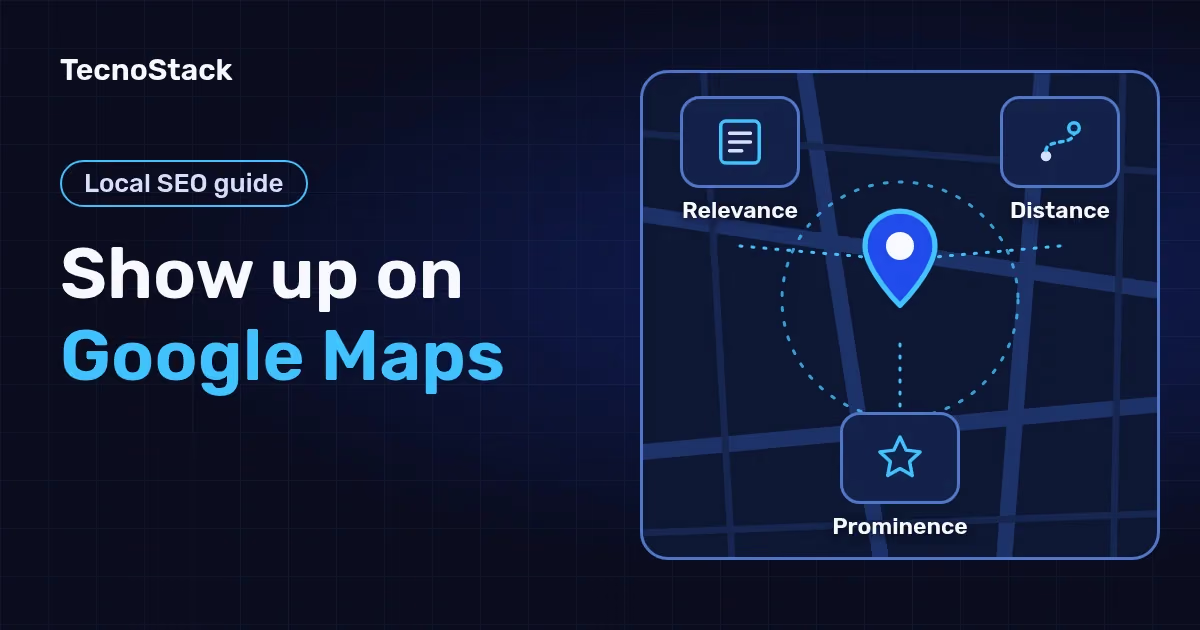
When someone searches for a nearby "car wash" or "dental clinic", Google shows local results on Maps and in Search. Its help page names three main factors:
| Factor | What Google says | What you control |
|---|---|---|
| Relevance | How well a Business Profile matches what someone is searching for | Complete, detailed information: category, services, description and hours |
| Distance | How far the business is from the searcher, or Google's estimate if they do not share a location | An accurate address or a correct service area, and nothing more |
| Prominence | How well known the business is, including how many websites link to it and how many reviews it has | Genuine reviews with replies, and mentions of and links to your business on other sites |
According to Google's page on improving local ranking as of October 2026, verified businesses with complete and accurate information are more likely to show up, and more reviews and positive ratings can help. The algorithm details stay confidential, and no one can request or pay for a better local ranking.
Distance alone means a searcher in north Riyadh and one in the south see different results. If you need calls within weeks, advertising is a separate decision; see our guide to choosing between SEO and paid search ads.
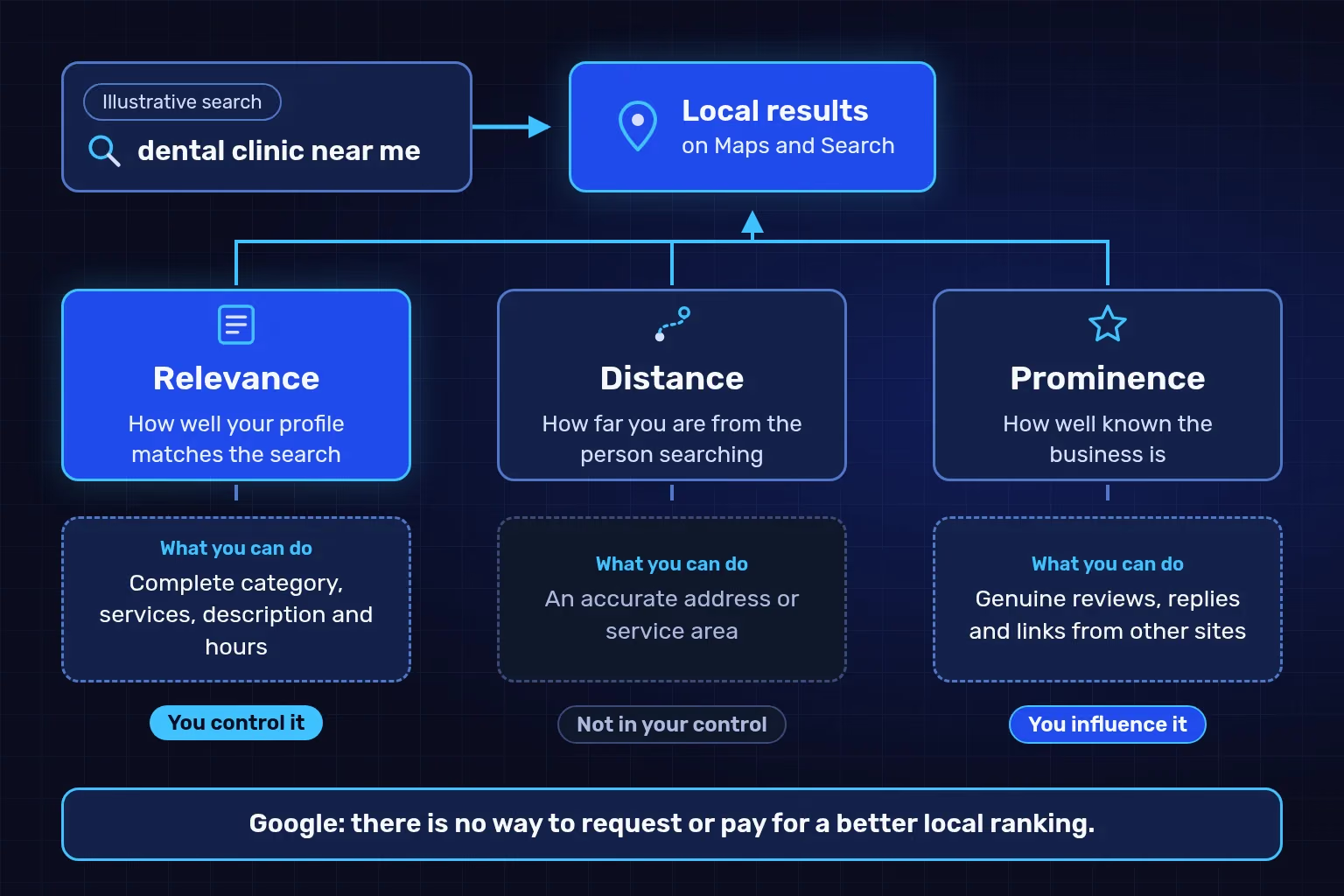
The three factors as Google describes them as of October 2026. The figure shows what you can improve for each one; it does not show weights or figures from Google.
Verification proves to Google that you are authorised to represent the business, and only then can you edit its details. The steps:
- A Google Account the business owns. Use your company email address rather than one employee's personal login, and add managers after verification.
- Search for your business first. Search its name and city on Google. Claim an existing profile, or add your business.
- Verify with the method you are offered. Google chooses the methods automatically: a phone call or text, email, a video recording, a live video call or a postcard. You may need more than one.
- Wait for the review. It takes up to 5 business days, occasionally longer. Some profiles are verified instantly, for example when the website is already verified in Search Console.
For a live video call, be at the business during opening hours, ready to show the outside sign, your products or equipment and an area only staff can enter. With a postcard, do not edit the name, address or category before entering the code, or the code stops working, and do not request a new one, which cancels the code in the post. Most codes arrive within 14 days and expire after 30. Google will never ask you for the code, and you should not share it even with your profile managers, according to its guide to verifying your business as of October 2026.
Do customers visit you, or do you go to them?
The answer decides how your profile is set up, under Google's guidelines for representing your business:
- A shop or office that receives customers: enter the real address, keep permanent signage with your name there, and receive customers during your listed hours.
- A business that serves customers at their locations: one profile for the central office, the address hidden, and a service area within about 2 hours' drive of your base.
- A virtual office or mailing address only: not eligible for a profile. An office in a co-working space qualifies only if it has clear signage, receives customers and is staffed by your team during business hours.
Write every field as customers see your business in the real world. Mistakes here can lead to your details being changed or your profile being suspended:
| Field | Write | Avoid |
|---|---|---|
| Name | The name customers know, as used on your sign, website and stationery | Taglines, city or service keywords, phone numbers, and the same name repeated in Arabic and English |
| Category | The fewest, most specific categories for your core business | Categories for side services you also offer |
| Address | A precise real address, or a pin dropped on the map if the address is not found | P.O. boxes, virtual offices and keywords in the address lines |
| Phone and website | A number that reaches that branch and that the business controls, and a link that represents that branch | Premium-rate numbers, and links that redirect to other pages or numbers |
| Hours | Regular customer-facing hours, plus special hours for particular days | Out-of-date hours after a change |
| Description | Your services, products, mission and history | Prices, promotions and links |
Three rules matter for Saudi businesses in particular:
- One language in the name. Google does not accept a name repeated in two languages or scripts, even when the shop sign shows both. Choose the form most customers use.
- The category answers "what is this business?". Google asks for categories that complete "This business IS a" rather than "this business HAS a". The Arabic wording customers type into search belongs in your description and on your website, not in the name field.
- Ramadan and Eid. Google lets you use current seasonal hours as your regular hours and set special hours for holidays. Update them before the season, not after a customer finds the door locked.
Ask every customer, and never pay for a review in any form. Google treats incentives such as free or discounted goods or services, offered for posting, changing or removing a review, as fake content and strictly prohibits them. Its tips for getting more reviews suggest a Google link or a QR code instead.
Before you print a QR code on your receipts, run through this list, drawn from Google Maps' prohibited content policy as of October 2026:
- No money, discounts or gifts in exchange for a review, or for changing or removing a negative one.
- Do not ask only happy customers, and do not discourage negative reviews.
- Do not pressure customers to review you while they are on your premises, or tell them what to write.
- Do not set staff a target number of reviews to collect.
- No reviews from current or former employees or relatives, because that is a conflict of interest.
Reviews that break these rules are removed from Maps. Replies are public, so keep them short, polite and specific, never promotional. With a negative review, never share the reviewer's private information, and move a detailed issue to phone or email.
Google says it can detect category information from your website and from mentions of your business across the web, and prominence draws partly on how many websites link to you. A customer who taps "Website" on your profile also expects to land on that branch, with its hours and address. In practice:
- One page per branch, carrying the same name, address, phone number and hours as the profile, with that branch's profile linking to it.
- LocalBusiness structured data. Google's local business structured data documentation lists name and address as the required properties as of October 2026, and recommends opening hours and coordinates with at least 5 decimal places.
- Do not mark up your own star rating. Google supports review markup for local businesses only on sites that capture reviews about other local businesses.
- Other directories and map services carry exactly the same details, so no branch shows two phone numbers.
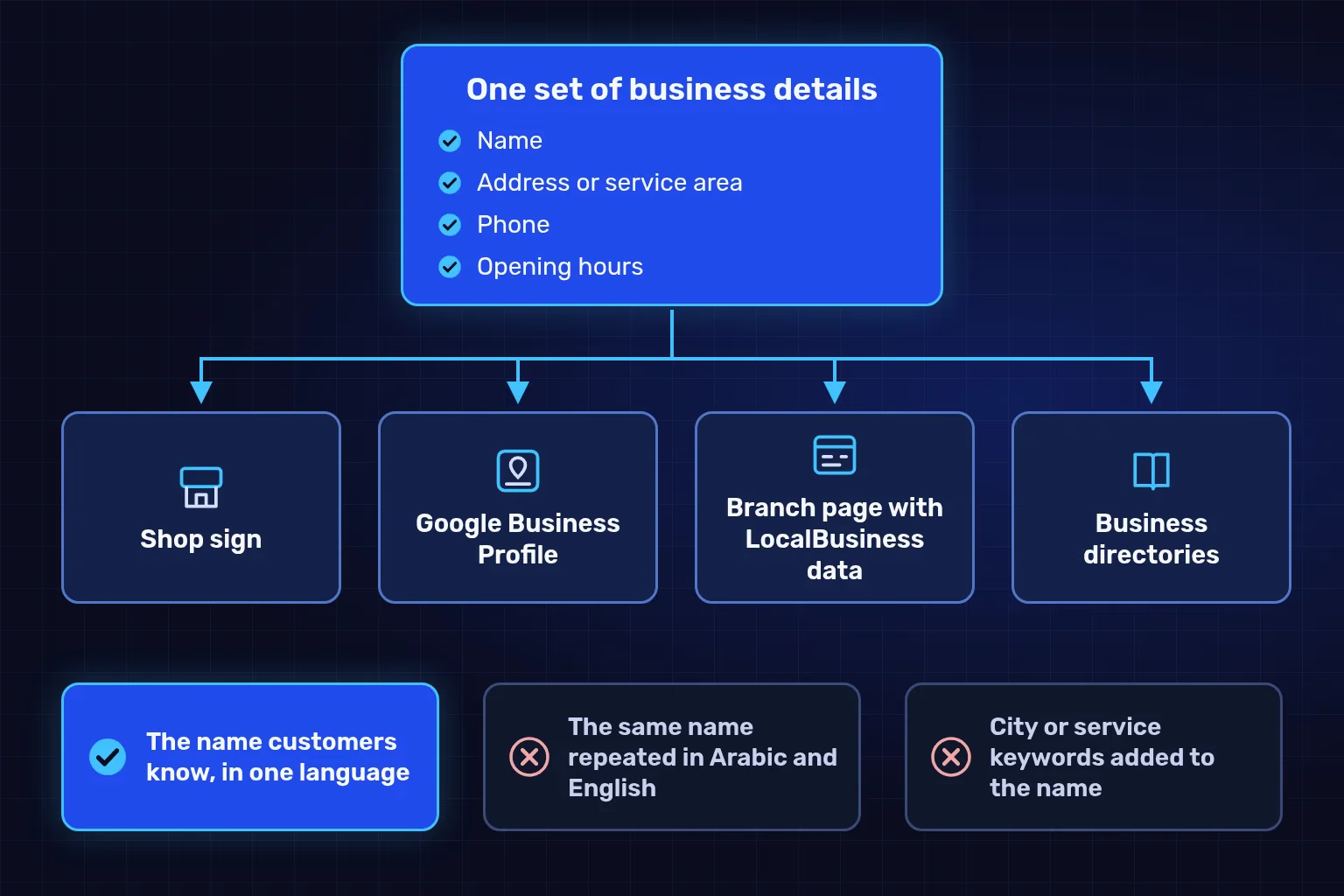
An illustrative example: one name, address, phone number and set of hours everywhere. A mismatch between the sign, the profile and the website confuses customers before it confuses a search engine.
Each branch that receives customers gets one profile, never more, in one account or several. Google's chain guidelines also ask for:
- One name for all locations in the country, without adding the district or the shopping centre to it.
- One shared primary category for branches that offer the same service.
- Separate profiles for public-facing departments, such as a department inside a hospital or a pharmacy inside a supermarket, provided their name and category differ from the main business.
- Bulk verification for 10 or more locations of the same business through Business Profile Manager, which is not available to service-area businesses. Google may de-verify accounts that do not actively manage their profiles, according to its bulk verification page.
If a name change goes beyond a minor edit, changing the proper nouns or services in the name or the category, Google treats it as a new business: you close the old profile and create a new one. Multi-location brands have some cases where a rename is allowed.
Verified profiles show performance data. Google's guide to Business Profile performance lists these metrics as of October 2026:
| Metric | What it counts | What to watch for |
|---|---|---|
| Views | People who viewed your profile on Search and Maps | Each person is counted once a day |
| Searches | The search terms your profile appeared for | Updated at the start of each month, and can take up to 5 days to appear |
| Directions | People who asked for directions to your business | Counting accounts for repeated taps, cancellations and spam |
| Calls | Clicks on the call button on your profile | A click does not mean the call connected or was answered |
| Website clicks | Clicks on the website link on your profile | Complete the picture with Google Analytics |
These figures include both unpaid results and Google Ads. To follow visitors after the click, add UTM parameters to your profile's website link. The Google Analytics documentation says to always use utm_source, utm_medium and utm_campaign, whose values appear in the Traffic acquisition report. An illustrative Riyadh branch link ends in ?utm_source=google&utm_medium=business_profile&utm_campaign=riyadh_branch; keep the names fixed from month to month.
Record the source of every enquiry, because a call-button click is not a customer, and check that GA4 records the enquiries those visits produce.
One branch with someone who answers reviews every week can manage its own profile at no cost. Several branches, a bilingual site needing a page and structured data per branch, or measurement tied to real enquiries take steady monthly time.
In our SEO plans, Business Profile work sits inside the monthly website and content work:
| Plan | From (SAR/month) | Google Business Profile | Business directories and map services |
|---|---|---|---|
| SEO essentials | 1,500 | Setup and monthly updates for 1 location, including 2 profile posts a month | Not listed in the plan |
| SEO growth | 3,000 | Management for 1 location, with 4 posts a month | Listings on up to 10 free directories and map services used in Saudi Arabia |
| SEO scale | 5,500 | Management for up to 3 locations, with up to 8 posts a month in total | Listings on up to 20 free directories and map services |
Prices are starting points in Saudi riyals, before VAT where it applies; your proposal confirms the final scope and price. Profile setup depends on Google verifying your business, directories use free listings only, and we do not guarantee rankings or traffic. The rest of each plan, from page optimisation to articles and reports, is on our page for SEO services and local SEO in Saudi Arabia.
Comparing providers? Use these questions to ask before hiring any SEO provider: who owns the accounts, what arrives each month and how work is measured.
Five steps that cost nothing:
- Search your business name and city to see whether a profile exists and who owns it.
- Make the name, address, phone number and hours identical on your sign, profile and website.
- Check your primary category with one question: "This business is a…?"
- Prepare a link or QR code to request reviews from every customer, and decide who replies to them each week.
- Add UTM parameters to the website link on your profile, and record the source of every enquiry.
For a second opinion, ask us to review your Business Profile and branch pages and we will tell you what to fix first.
We checked Google's Business Profile guidelines, verification, review and performance pages, and its structured data and Analytics documentation, against the official sources on 28 October 2026; they may change. TecnoStack prices are the starting prices on our SEO service page on that date.