
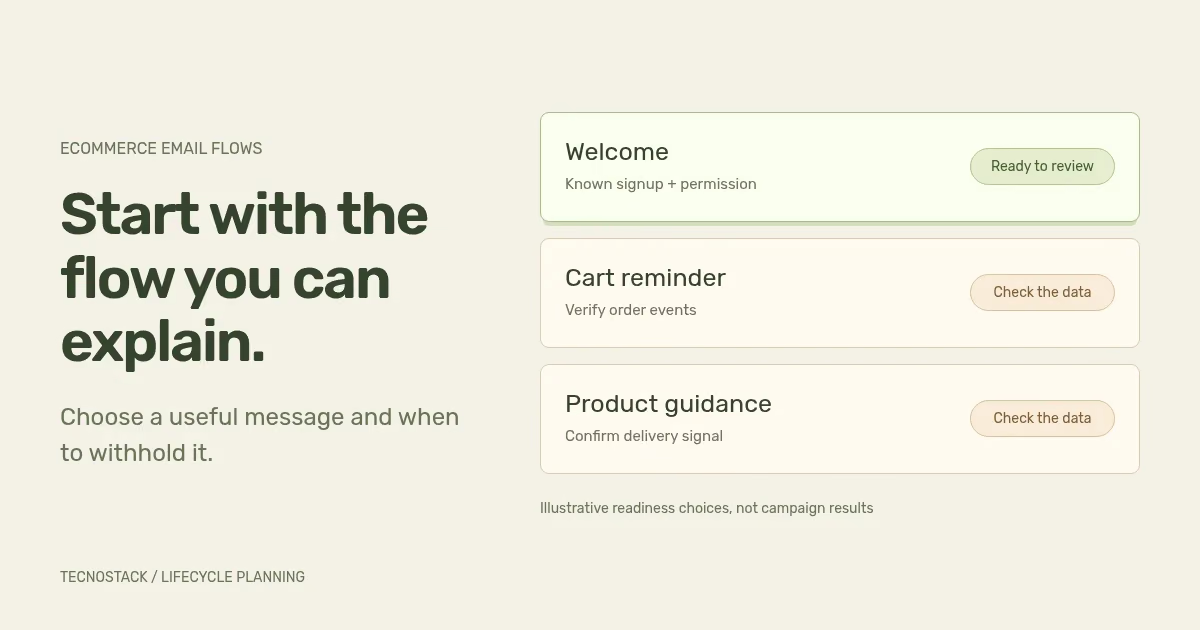
Start with an ecommerce email flow whose audience, trigger, exclusions and intended outcome you can verify. The first useful automation is the one your store can operate with reliable data and relevant content. A popular list of flows can help generate ideas, but it cannot establish that your store is ready to send them.
Choose a recognisable moment: a person subscribes, leaves a checkout unfinished or needs help using a delivered product. Then describe what the message helps them do. This guide provides a readiness matrix and a working brief for that decision.
Open your store platform, email provider and any connected messaging apps. Record the messages that are active, their channels and the events that start them. Include native cart reminders, welcome offers and post-purchase marketing, and identify transactional order or delivery notices separately.
For each message, name the person who can change it and record where its configuration lives. Two tools can both respond to the same checkout. A second flow may then duplicate the first even when each tool looks correctly configured on its own.
Check the work already included in your store plan. Several TecnoStack store offers include cart or checkout email flows within their published limits. The e-commerce service remains the starting point for those inclusions; additional strategy, content or operation needs a defined gap and scope.
Use the following matrix as a planning worksheet. The examples describe possible designs, not mandatory flows, provider guarantees or a sequence every store should activate.
| Candidate flow | Evidence needed before building | Useful message | Condition to review before sending |
|---|---|---|---|
| Welcome | A known signup source, permission status and language rule | Deliver the promised introduction or requested resource | The person has opted out, is suppressed or already received this introduction |
| Checkout reminder | An identifiable checkout, a reliable completion event and a valid return link | Help the customer continue the unfinished task | The order is complete, sending is not permitted or the checkout is no longer usable |
| Product guidance | The relevant order and an appropriate delivery or use-stage signal | Explain a product task or answer a likely setup question | The order was cancelled, returned or has not reached the assumed stage |
| Replenishment | A product for which repeat purchase makes sense and an explained timing rule | Offer a relevant route to reorder | The customer has reordered or the product is unavailable |
| Re-engagement | A defined inactive audience and reviewed contact permission | Ask whether a specific offer or content remains useful | The person has opted out, is suppressed or no longer fits the audience |
A missing field is a preparation task. Do not fill it with an assumption merely to activate the flow. For example, an order timestamp does not prove delivery, and a checkout email address alone does not explain the sending basis for a marketing programme.
Give each row one of three internal states: ready for configuration review, waiting for evidence, or outside the current scope. These states organise the work; they do not forecast revenue.
The trigger explains why someone enters a flow. Eligibility checks explain whether a particular action should happen. Re-entry rules explain whether the same person can begin the flow again. Write each decision separately, then map it to the settings your provider actually supports.
Klaviyo, for example, checks profile filters on entry and before flow actions. If a profile fails a check before an action, that action is skipped; the profile can continue to later steps and be checked again. Metric-based trigger filters are checked at entry, while re-entry controls have a separate role. Other providers and trigger types need their own review. Klaviyo trigger and filter documentation
This distinction changes your acceptance test. “The customer entered correctly” is only one result. Also test a person who qualifies at entry but opts out, completes the intended task or becomes ineligible before a later message. Record the expected send or skip decision at each step.
Use this record for the candidate you can support first. Keep the business wording beside the implementation settings so the team can compare intent with behaviour.
| Brief field | What to record | Evidence to review |
|---|---|---|
| Entry event | The action that begins the flow and its source | A representative event with the fields the flow uses |
| Audience | Who qualifies, their permission source and language preference | A test profile that qualifies and one that does not |
| Exclusions | Opt-out, suppression, completion and other agreed stop conditions | Cases that withhold each relevant message |
| Message | The useful task, destination and missing-data fallback | Rendered Arabic and English variants in scope |
| Goal | The observed action and reporting definition | A test event and its trace into the agreed report |
| Owner | Who approves, monitors, changes and pauses the flow | A handover record and a route for reporting an issue |
Add timing and re-entry rules to the record, including why they suit the customer task and available data. Avoid copying a provider's default delay without checking event arrival, store behaviour and the messages already running.
Imagine a small household-goods store with a clear newsletter signup, a recorded language preference and a useful product-care guide. Its order integration is still being reconciled, so the team cannot reliably identify purchases before a checkout reminder sends.
The team could review a bounded welcome flow first. The message delivers the promised guide and links to the matching language page. It uses a neutral greeting when the name is missing. Existing subscribers are treated according to the agreed entry and re-entry rule instead of being silently added to a new welcome sequence.
Checkout recovery remains in the preparation column until the team verifies order completion and the existing native reminder. The cart-email decision worksheet provides send and skip cases for that review. Product guidance waits for an appropriate signal that the product has reached the customer. This is an illustrative prioritisation decision, not a client result or a claim that welcome email always performs best.
The team also decides what it can observe. A guide-link click can show recorded interaction with that link; it does not prove the customer read the guide or bought because of the email. If the business goal is a later purchase, define how that outcome is counted and attributed before reporting it as success.
Choose the language rule deliberately. An explicit customer preference is easier to explain than guessing from a name. If the preference is absent, record a fallback that the business accepts and ensure it does not send both language versions accidentally.
Test long Arabic product names, mixed-language references and missing optional fields. Check subject lines, preview text, links and unsubscribe wording as well as the email body. The landing page should continue the language and task promised in the message.
Use representative email clients and agreed test inboxes. A browser preview alone does not establish how every recipient will see the message. Name the tested environments and retain any limitations in the handover instead of claiming universal rendering.
The content plan also needs a sending setup that meets the relevant recipient-provider requirements. Google's guidance for personal Gmail addresses includes authentication and other sender requirements, with additional obligations for bulk senders. Check the applicable category and actual sending configuration; a well-written flow does not replace those checks. Google email sender guidelines
Before activation, review the agreed send and skip cases, links, language variants and approval owner. The deliverability worksheet helps organise the sender evidence. After activation, inspect delivery issues and unexpected skips alongside the goal event. A correctly skipped message may show that the flow respected a purchase or opt-out condition.
Expand only when the team can explain the current flow's behaviour and handle changes. Use the email measurement guide to define rates and attributed outcomes. A useful second flow should fill another customer need and reuse verified data where appropriate. It still needs its own audience, content and acceptance checks.
For an implementation brief, share the platform, current message inventory and the completed readiness row with TecnoStack's email marketing service. The initial conversation needs an outline of your data and permission sources, not an exported customer list.


