
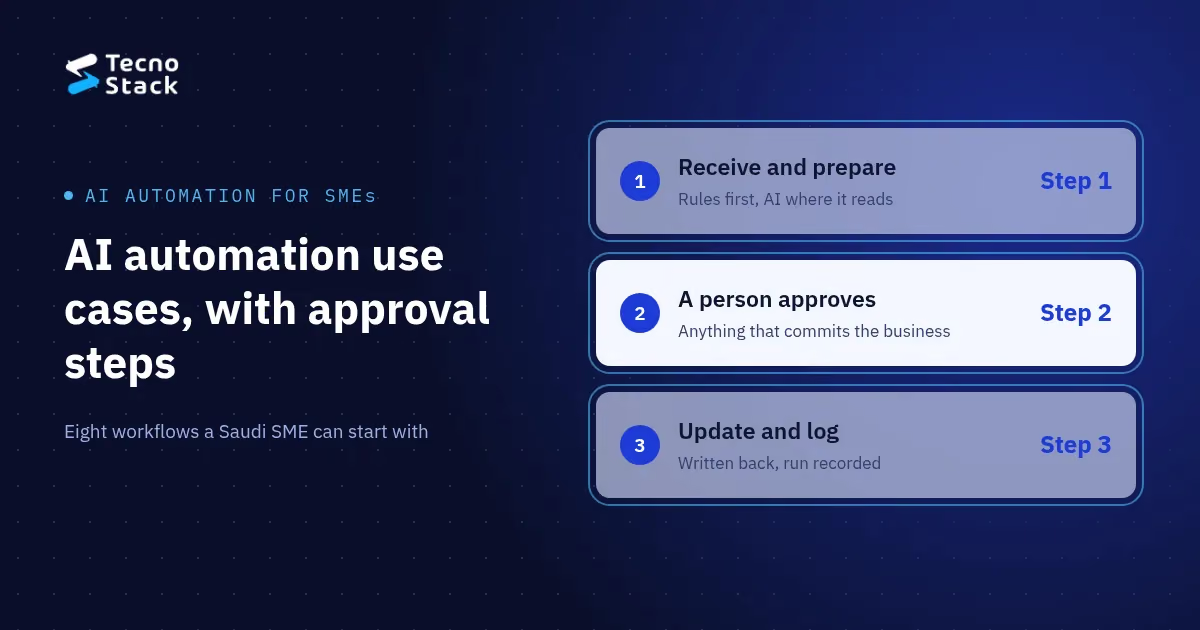
AI automation for small business is a workflow that receives a request, prepares it, sends it to the right person for approval and writes the result back into your systems. Plain rules do most of the work. An AI step handles only what needs reading or interpretation, and a person approves anything that commits the business.
The eight use cases below are good first candidates for a Saudi SME: enquiry triage, supplier invoice intake, order exceptions, support reply drafts, quotes, internal requests, weekly reports and document checks. We describe each one in the same four parts (trigger, AI step, approval and write-back), so you can pick a first workflow and brief whoever builds it.
Every workflow in this catalogue follows four steps:
- Receive. A form, an email, a message or a system event starts the run.
- Prepare. The workflow pulls out the information the next step needs and checks it against rules.
- Approve. Exceptions and decisions go to a named person, with the context they need to decide.
- Update. The workflow writes the approved result back to the system of record and logs the run.
The approval step sets which actions the workflow may take alone and which ones wait for a person. If you are weighing a more autonomous design, our CTO playbook explains bounded autonomy for AI agents and when a fixed workflow is the better tool. If one AI step later grows into several that hand work to each other, read about orchestrators and subagents before you build: a single workflow with one AI step is easier to test.
Each entry names the trigger, the AI step, the approval and the write-back. Two of the eight need little or no AI.
1. Website and WhatsApp enquiry triage
- Trigger: a contact form, an email or a WhatsApp message.
- AI step: classify the enquiry (service, urgency, language) and draft a first reply in Arabic or English.
- Approval: the sales owner reviews the draft and the suggested owner before anything is sent.
- Write-back: a lead in the CRM with the source, the category and the assigned person.
Triage suits businesses whose enquiries arrive in several channels and get lost between inboxes. If WhatsApp is one of those channels, read the WhatsApp Business API guide for the setup and Meta's message pricing.
2. Supplier invoice intake
- Trigger: an invoice arriving in a shared mailbox.
- AI step: extract the supplier, invoice number, date, amounts and VAT lines, but only where the invoice has no structured data.
- Approval: finance confirms the match against the purchase order and approves exceptions, such as a price difference.
- Write-back: a draft bill in the accounting system, with the original file attached.
Check the format before you add AI. ZATCA defines an e-invoice as one generated in a structured electronic format, and a scanned paper invoice does not count. In the integration phase, suppliers generate and store e-invoices as XML or as PDF/A-3 with embedded XML, according to ZATCA's simplified e-invoicing guide (as of October 2026). When the XML is there, a rule reads the fields exactly, and the AI step stays for scans and older documents. Either way, add duplicate detection: the same invoice sent twice must never become two bills.
3. Online store order exceptions
- Trigger: a failed payment, an incomplete address or an item out of stock.
- AI step: usually none. Rules detect the exception; AI can draft the customer message.
- Approval: a team member approves the message and any refund or substitution.
- Write-back: the order status and a note on the customer record.
4. Customer support reply drafts
- Trigger: a new ticket or email.
- AI step: sort the ticket by topic and draft a reply from your approved help content.
- Approval: an agent edits and sends the reply. Nothing goes out unreviewed.
- Write-back: the ticket category and the final reply, which show you which topics repeat.
Drafts built on your own help content are easier to check than free-form answers. If customers need answers outside working hours rather than drafts for your team, start with choosing an AI chatbot for your business, which compares a WhatsApp bot with an assistant that answers from your documents.
5. Quotes and proposals
- Trigger: a qualified lead or a request for a quote.
- AI step: draft the scope summary from the enquiry and your service descriptions.
- Approval: prices come from your price list by rule; a manager approves any discount above an agreed limit.
- Write-back: the quote in your CRM or quoting tool, with its approval recorded.
6. Internal requests: leave, purchases and expenses
- Trigger: an employee submits a request.
- AI step: none. This is a rules workflow.
- Approval: the line manager, then finance above a threshold, with a reminder if the request waits too long.
- Write-back: the HR or finance system, and a notification to the employee.
Requests that sit in an inbox with no owner and no reminder are often the quickest win, and they need no model at all.
7. Weekly operations reports
- Trigger: a schedule, for example every Sunday morning.
- AI step: summarise the week's figures from your systems in plain Arabic or English.
- Approval: the report owner checks the numbers and the summary before it goes to management.
- Write-back: the report in a shared folder or channel, with links to the source data.
8. Document completeness checks
- Trigger: a customer or supplier uploads documents for onboarding.
- AI step: check which required documents are present, readable and in date.
- Approval: a person decides whether to accept, reject or ask for more. The workflow never approves an account on its own.
- Write-back: the onboarding record and a list of missing items sent to the applicant.
Design the approval step by answering five questions before anyone builds it:
| Question | What to decide |
|---|---|
| Who approves? | A named role, with a backup when that person is away |
| What do they see? | The input, the proposed action, the AI output marked as such, and why the case reached them |
| What can they do? | Approve, edit, reject or send it back for more information |
| What if no one acts? | A reminder after an agreed time, then escalation |
| What is recorded? | Who decided, when, and what changed, so you can review the run later |
Set the threshold by the cost of error, not by how confident the model sounds. A wrong category on an enquiry costs a few minutes. A wrong refund or supplier payment costs money and trust.
Keep these decisions with people even when the workflow prepares everything: payments and refunds above a limit, credit decisions, hiring and dismissal, legal or regulatory replies, and anything that commits the business to a customer or supplier. Our own automation plans follow that line, and we do not let a workflow make high-risk decisions on its own. We apply the same rule when we build AI agents that use your approved tools.
If a workflow handles personal data, such as customer names, phone numbers or identity documents, decide where that data is stored and processed before you connect anything. Saudi Arabia's Personal Data Protection Law applies, and SDAIA publishes the law, its implementing regulations and guidance in its personal data protection knowledge centre. Take legal advice for your specific case; this article is not legal advice.
Score each candidate on four points:
- Repetition: how often the task happens each week.
- Clarity: whether the inputs, the decision and the owner are already clear.
- Integrations: whether the systems involved have documented APIs and the access you need.
- Cost of error: what happens if a run goes wrong, and how quickly you would notice.
Start with a task that scores high on the first three and low on the fourth. Measure today's effort before you automate it, so you can compare honestly afterwards. If you are also planning an assistant for staff, our list of copilot use cases scored by error cost applies a similar test to knowledge work.
Our plans for AI automation for your team start from SAR 4,000 before VAT where it applies:
| Plan | Starting price | Workflows and steps | Connectors | AI steps | Also included |
|---|---|---|---|---|---|
| First automation | SAR 4,000 | Up to 3 workflows, up to 5 steps each | Up to 2 | 1, reviewed by a person | Error alerts, acceptance checks, documentation |
| Connected workflows | SAR 8,000 | Up to 5 workflows, 8 steps each | Up to 4 across the project | Up to 3, with review and approval gates | Retries, error alerts, an operating guide |
| Automation operations | SAR 15,000 | Up to 8 workflows, 10 steps each | Up to 6 across the project | Up to 5, with a person's approval | Monitoring setup, acceptance tests, handover |
Your proposal confirms the final scope and price. Every plan includes 3 months of hosting and monitoring. Model and API usage, hosting after those 3 months, software subscriptions and any major data cleanup are separate. At handover you receive a runbook and your exported workflow files, and we fix defects in the delivered scope for 30, 60 or 90 days depending on the plan. We do not promise a percentage saving: we agree with you what to measure and review the run history after launch.
One page per process is enough to scope a first workflow. Write down what starts it, which systems it touches, the exceptions you see most often, who approves what today and what a finished run looks like. When that page is ready, send that page to us and we will reply with a proposed scope and a starting price.
- Zakat, Tax and Customs Authority (ZATCA). E-invoicing simplified guide: definition of an e-invoice and the integration-phase format (XML or PDF/A-3 with embedded XML). Accessed 21 October 2026.
- Saudi Data and AI Authority (SDAIA). Personal data protection knowledge centre: the Personal Data Protection Law, its regulations and guidance. Accessed 21 October 2026.
TecnoStack prices and plan details are the ones published on our service page on 21 October 2026.


