
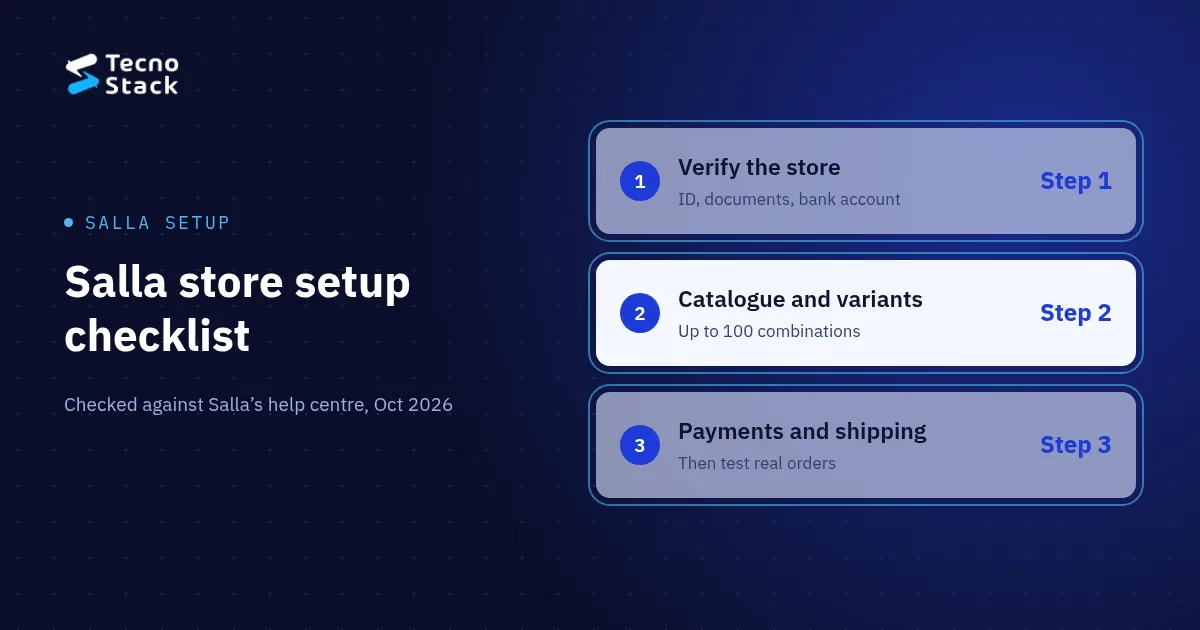
Salla store setup runs in seven steps: plan the catalogue, verify the store with Salla, get the free e-commerce authentication certificate, build products and variants, switch on payments, configure shipping, then add apps and test real orders. Keep that order. Payments, shipping and the certificate all wait on verification and your policy pages, so skipping ahead means waiting.
This is how to set up a Salla store once you have picked the platform; if you are still choosing a store platform in Saudi Arabia, start there. Platform details are checked against Salla's help centre as of October 2026. Salla updates its dashboard often, so confirm each label in your own account.
| Step | Where it happens | What you need ready |
|---|---|---|
| 1. Plan | On paper, before the dashboard | Product list, options, categories, policies |
| 2. Verify the store | Salla's store verification page | Owner ID matching Absher, entity document, IBAN certificate |
| 3. E-commerce certificate | Business Platform, then Salla's verification page | Commercial registration or freelance document, linked bank account, Absher and Nafath, live store with policies |
| 4. Catalogue | Product card, Options and quantity | One spreadsheet with names, prices, stock, weights and images |
| 5. Payments | Settings and tools, then Payment methods | Approved verification, provider approval for pay-later |
| 6. Shipping | Salla waybills and shipping options | Product weights, delivery cities, free-shipping and cash-on-delivery rules |
| 7. Apps and launch | Salla's app store, then test orders | One real order per payment and shipping option |
Plan the catalogue, payments, shipping and policies on paper first. Every later screen asks for one of these decisions, and changing them after import means editing product by product.
- Products and variants. How many products you launch with, and which options each one has: size, colour, material, volume.
- Categories. The groups a shopper would browse, named in the words they would search.
- Languages. Arabic only, or Arabic and English, and who writes each.
- Payment methods. Cards, wallets, pay-later and cash on delivery: which you want, and which your business can be approved for.
- Shipping. The cities you deliver to, the carriers you prefer, and whether shipping is free above an order value.
- Policies. Returns, exchanges, delivery times and how customers reach you. Step 3 needs these pages live.
Salla store verification is Salla's own review of the owner's identity, the business entity and the bank account. Salla calls it a basic step for running the store fully and says it speeds up the activation of payment gateways and shipping. As of October 2026, Salla's verification guide runs like this:
- Enter the owner's 10-digit ID number, matching the Absher record, with the date of birth and a photo of the ID, then confirm through the Absher text message.
- Confirm the owner manages the store, or add the manager's details.
- Choose the entity type and add its document.
- Add the bank account, review everything and submit for Salla's review.
The document depends on the entity:
| Entity | Document | Bank account |
|---|---|---|
| Individual (Saudi citizens only) | Freelance document in the owner's name | IBAN certificate in the owner's name |
| Establishment or company (citizens and residents) | Valid commercial registration linked to the owner | Business account in the entity's name, linked to the registration |
| Charity | Charity registration certificate | As requested in the dashboard |
Names must match across the ID, the documents and the IBAN certificate; for individuals, Salla checks the name on the IBAN certificate, not the one on the bank card. Salla warns that documents not linked to the owner can lead to a final rejection.
The e-commerce authentication certificate is a government certificate, separate from Salla's verification. Salla's guide to the certificate says the Saudi Business Center issues it with the Ministry of Commerce through the Business Platform, free of any government fee. As of October 2026 you need:
- a valid commercial registration or freelance document in your name;
- a bank account linked to it;
- active Absher and Nafath accounts;
- a live store with a return policy, terms and conditions, and contact details.
That last item is why the policy pages come early. Add the privacy policy at the same time; our checklist of what the PDPL asks of an online store covers what it must tell customers about their data.
Once issued, enter the certificate number in the government verification field on Salla's verification page. Its logo and link then appear in your store footer. The certificate is valid as long as the commercial registration or freelance document behind it, so renew it on the Business Platform when you renew that document.
Create categories first, then products, working from one spreadsheet with each product's name, description, images, price, stock and weight. If you import before deciding how variants work, you end up editing products one by one.
Variants live in the product card under Options and quantity. Salla's guide to product options lists three ways to show an option: as text, a colour swatch or an image. Each combination can carry its own price, cost, discounted price, weight, barcode, SKU and low-stock alert.
Watch the limit. As of October 2026 a product can have up to 100 option combinations, and combinations multiply: 20 colours and 5 sizes already make 100. If a product goes over, split it into separate products or cut the choices that do not need to be options.
You switch on Salla's electronic payments from Settings and tools, then the Payment methods page, by pressing activate. Salla describes the service as taking payments by card, digital wallet and other approved electronic methods.
- Apple Pay is switched on in the Salla Payments section of the same page, according to Salla's Apple Pay guide.
- Pay-later and wallets such as Tabby, Tamara and stc pay each have their own activation guide in the help centre.
- Fees come from each provider. The payment methods page has a calculator: enter an order value and a method to see the fee.
Which methods you can offer depends on your verification, your merchant account and each provider's approval. Put each fee into your store running costs before you decide what to show at checkout.
Activate carriers inside Salla's waybill service with the activate button on each carrier's page; the help centre also has guides for connecting some carriers directly, such as Saudi Post (SPL) and SMSA. Salla's article on carrier settings lets you set, for each carrier:
- the name and details customers see at checkout;
- a fixed price or a weight-based price, plus your own shipping cost so the store can work out shipping profit;
- the cities covered: all, selected, or all except some.
Then set the rules. Salla's shipping options guide covers conditions for free shipping, for when cash on delivery appears at checkout, and for which carriers show on which orders. It also covers permissions that let a carrier update order status and sync quantities. Weight-based prices use the product weights from step 4, so a missing weight shows up here as a wrong shipping charge.
Add only the apps that fix a problem you have today, then place real test orders through every payment and shipping option before the first customer does.
Apps. Reviews, loyalty and an accounting connection are common first choices; note each one's monthly fee. Every app is one more thing to check when an order goes wrong. If customers will message you about orders, read up on connecting WhatsApp to Salla or Zid before you install a messaging app, because template and opt-in rules apply.
Test orders. Check the confirmation messages, status updates, a cancellation, a refund, a return and the waybill your team prints.
Launch day. Confirm the policy pages, the certificate in the footer, the contact details and the analytics. Hand the daily routine to the person who will process orders, with a short written guide. If you plan to promote the store on Instagram or TikTok, budget for it now; our guide to what social media management costs sets out the plans.
You can complete every step yourself. Help pays off when the catalogue is large, variants are complicated, the store needs Arabic and English, or you want the order flow tested before customers find the gaps.
If you want a Salla developer for your store, our plans start from SAR 4,000 for a launch store with one theme and up to 30 products, SAR 6,500 for up to 100 products and 10 categories, and SAR 10,000 for up to 250 products and 20 categories with order-flow testing and an operations guide. You provide product data, images and translations; Salla's subscription, themes, paid apps, payment and shipping fees are billed by their providers.
Work through the table at the top, starting with the documents for verification and the policy pages, since both gate the steps that follow. When you know your product count and the payment and shipping options you want, tell us about your store and we will reply with a scope and a starting price.
Salla features and requirements in this article were checked against Salla's help centre on 21 October 2026 and may change. TecnoStack prices are the starting prices published on our service pages on 21 October 2026, in SAR, excluding VAT where it applies; your proposal confirms the final scope and price.


